

Guide
By default, every member of a workspace sees everything in it. Under Settings →
Access, owners and admins can share sources instead. A member, a team or an agent’s
key then reads only what those sources hold of each ontology.
What you can share
Sharing works on each ontology’s current load: the entities, facts and documents that
those sources filled. Someone who holds every source a load reads reads the whole
ontology. Someone who holds some of them reads only that part.
Give someone sources
1
Open their sources
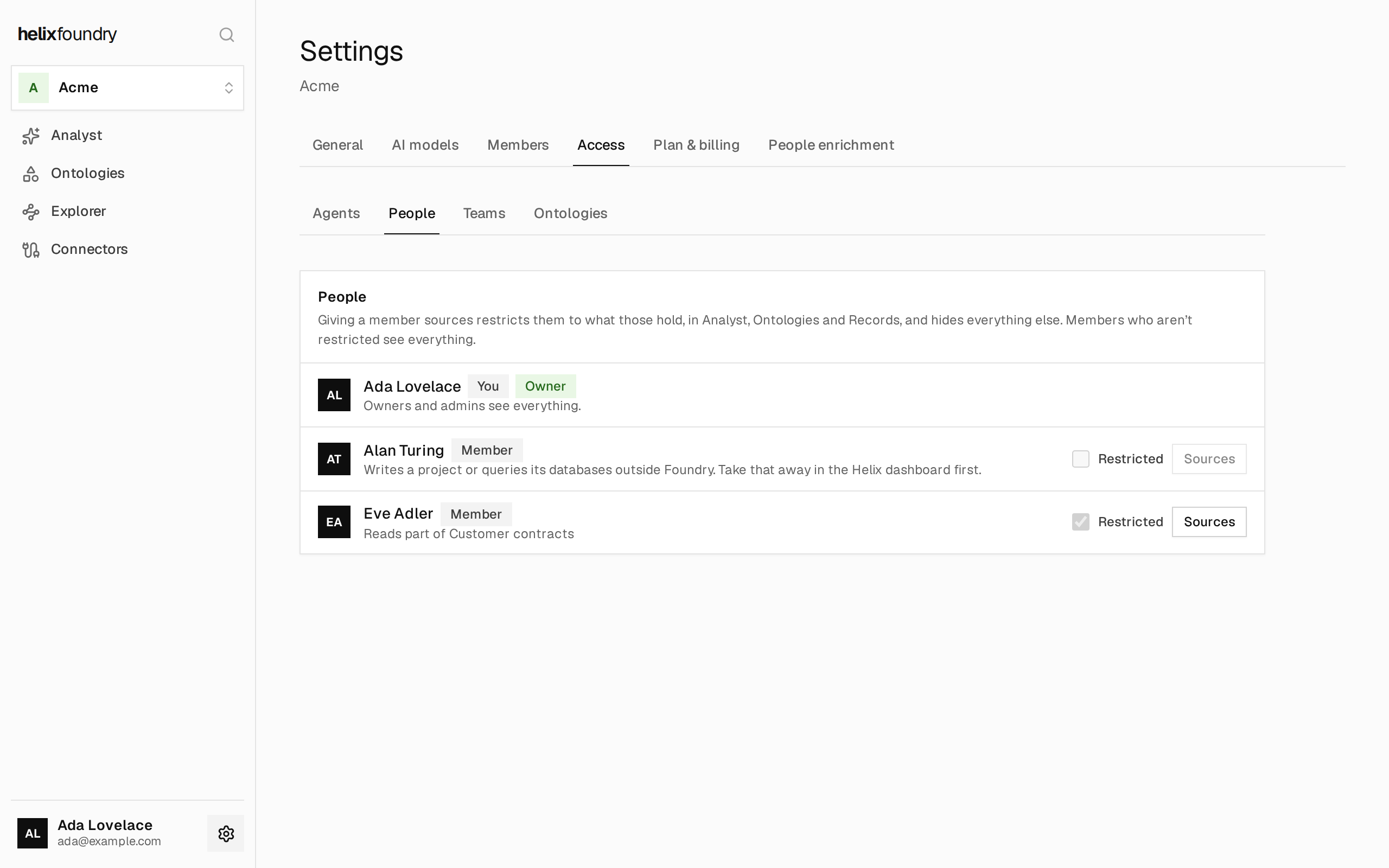
In Settings → Access, open Agents, People or Teams, then select
Sources on a row.
2
Choose the sources
Tick connections, tables, document sets or People enrichment. Ticking a connection
includes its tables and sets.As you choose, Can read lists each ontology they’ll read: all of it, or
Part of it, which names the sources they’re missing. Can’t read yet lists the
other ontologies, each with the sources it reads.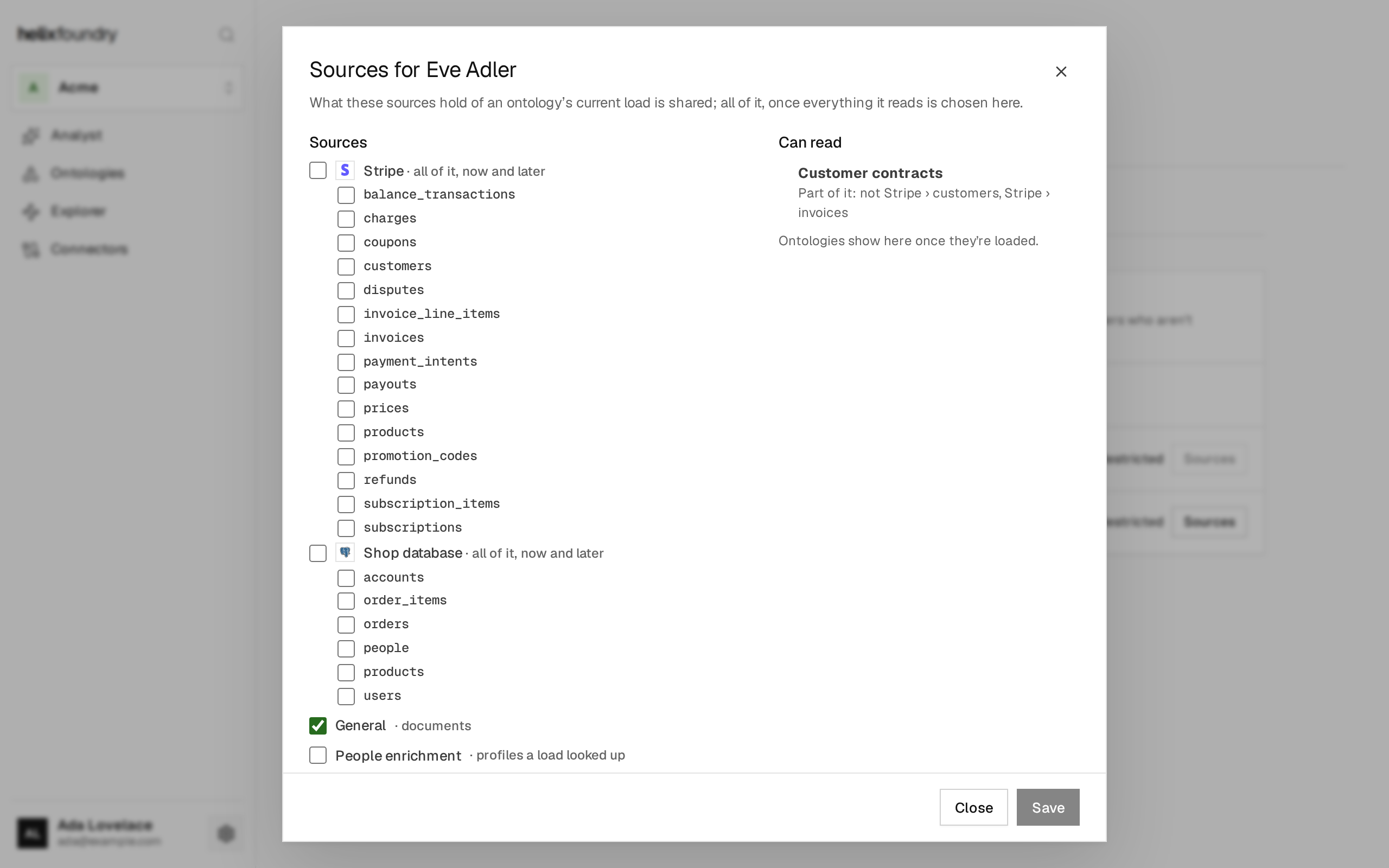
3
Save
Select Save. Giving a member or team their first sources restricts them, so
Foundry asks first: select Save and restrict.
Restricted members
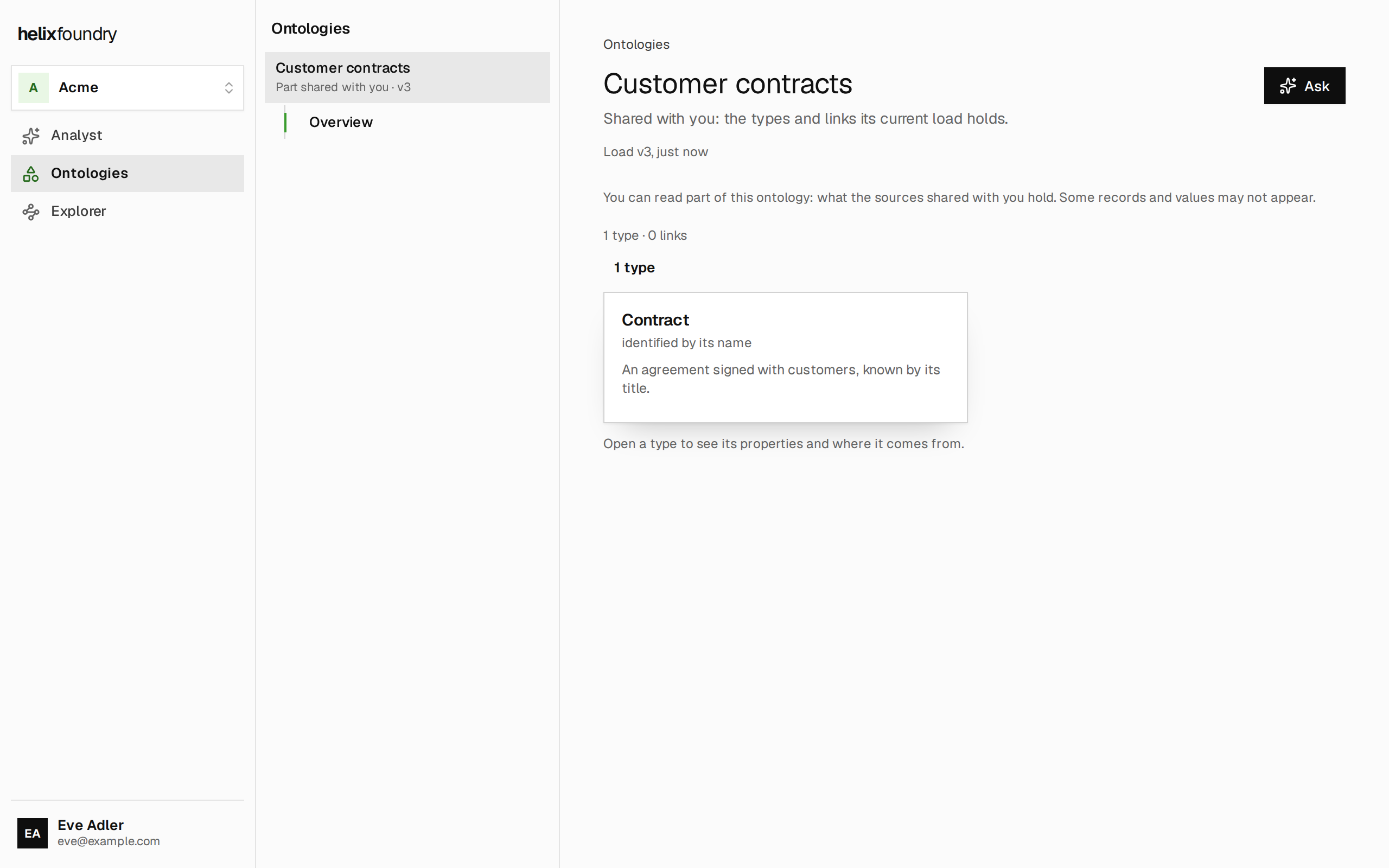
Giving a member sources restricts them. A restricted member:- sees only Analyst, Ontologies and the Explorer: no Data, settings or search;
- sees only the ontologies their sources cover, and only what those sources hold of them;
- asks questions and reads records, entities and documents, but changes nothing.
- Owners and admins always see everything.
- Members with raw access can’t be restricted. Raw access means the member writes to a project or queries its databases outside Foundry, which is set in the Helix dashboard. Take that access away there first. A team that has such a member can’t be given sources either. If a restricted member is given raw access later, they’re flagged Raw access, because Foundry can’t limit what they do outside it.
Teams
Under Teams, select New team and choose its name and members. Then give the team sources once, and every member reads what those cover. Once the team has sources, its members are restricted, and they stay restricted after leaving it. Deleting a team takes away what it gave: its members keep only what they hold otherwise.Agent keys
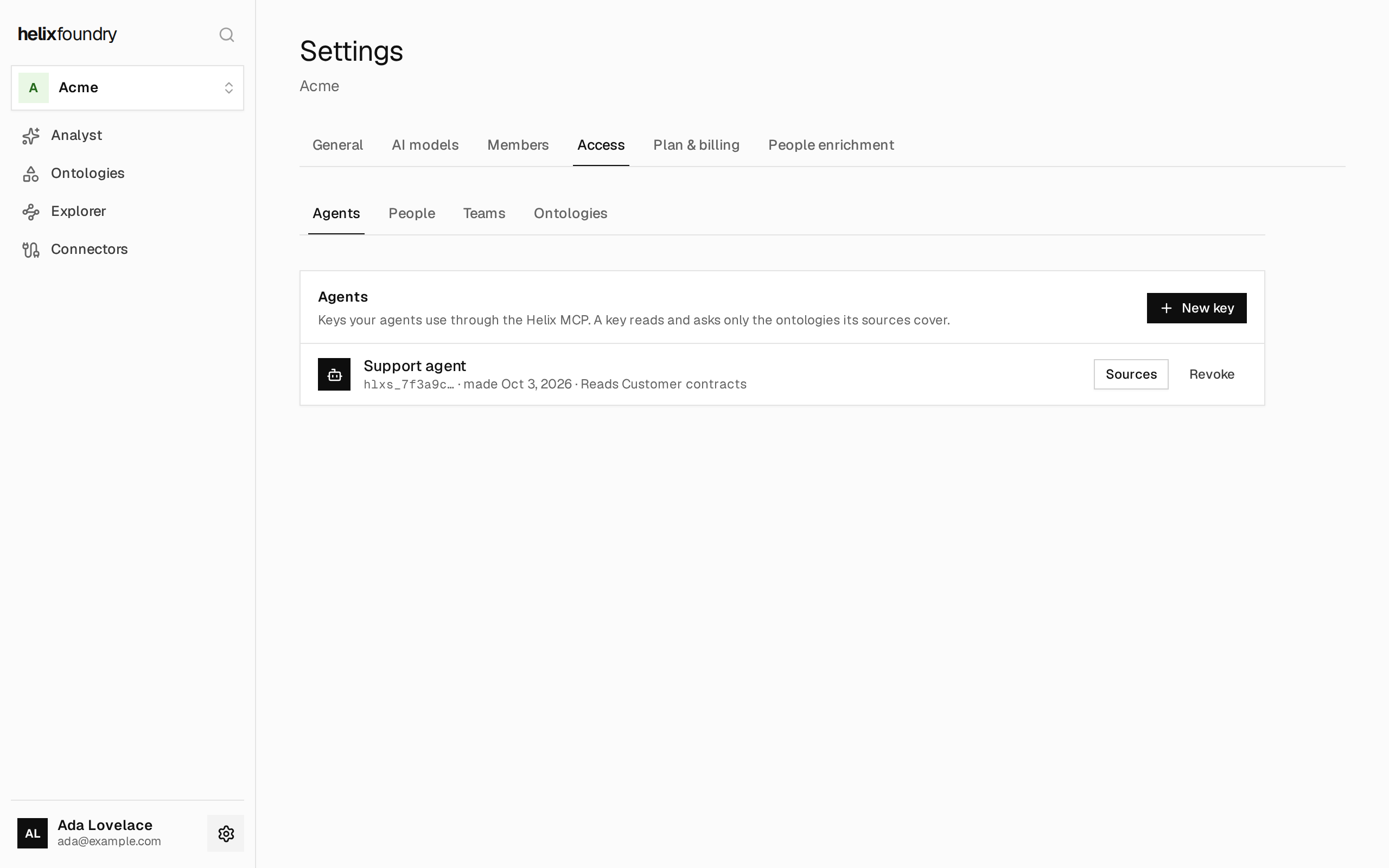
An agent’s key reads and asks only the ontologies its sources cover, through the Helix MCP. It changes nothing.1
Make a key
Under Agents, select New key, name it and select Create key. Copy the key
now: Foundry shows it once.
2
Give it sources
Select Sources on its row and choose what it reads, as for a person.
3
Use it
Give the key to the agent as its MCP bearer token, as in
Service credentials.
See who reads what
Ontologies lists each ontology’s current load, who it is shared with, and who reads only part of it.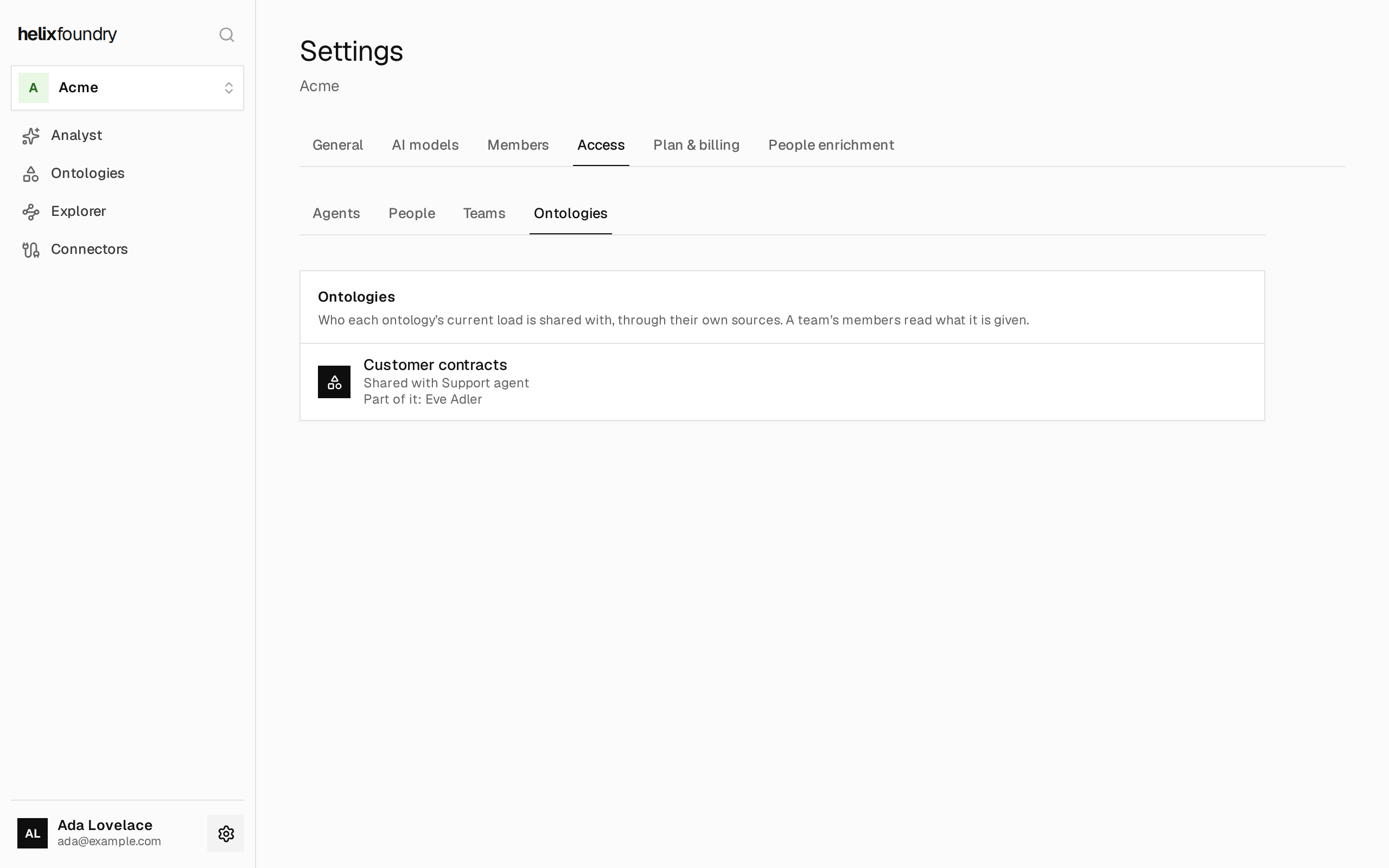
Limits
Someone reading through sources asks up to 10 questions an hour and spends up to $10 a month on questions. Their questions also count toward the workspace’s own limits. Reading through sources also shows less than full access does:- Documents open as uploaded, without highlights.
- Entity pages have no mentions or reviews.
- A type they hold only part of shows its first records, without pages, and can’t be filtered or sorted by what they hold only part of.
Next steps
Members and roles
Invite people and see what each role can do.
Helix MCP
Connect an agent to Foundry.