

Guide
Ask answers questions about an ontology’s load in plain language, and is Foundry’s main
page: Foundry opens on it. Foundry’s agent reads the load from the ontology’s database
step by step, and its answer cites each record, table row, quote and rule it used, so
you can open every one.
Ask a question, follow its steps, read the sourced answer, then follow up.
Start a thread
Foundry opens on Ask, and Ask in the sidebar comes back to it. It opens the ontology you last opened, or the newest; the Ontology picker at the top of the page opens another. A new thread asks what you want to know about the ontology, with the composer in the middle of the page and, when Foundry has read the load’s version, the version’s questions as suggestions.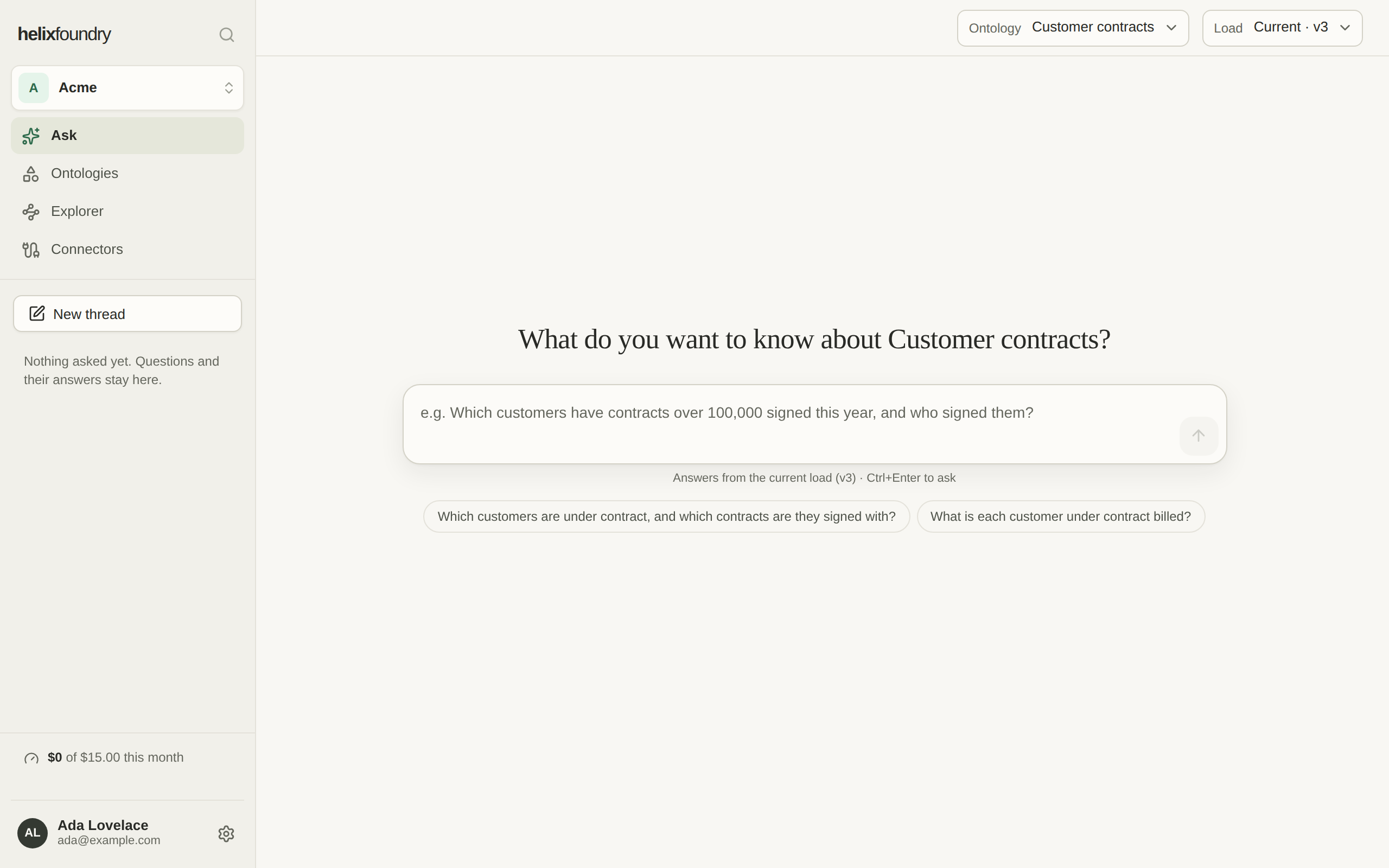
Read an answer
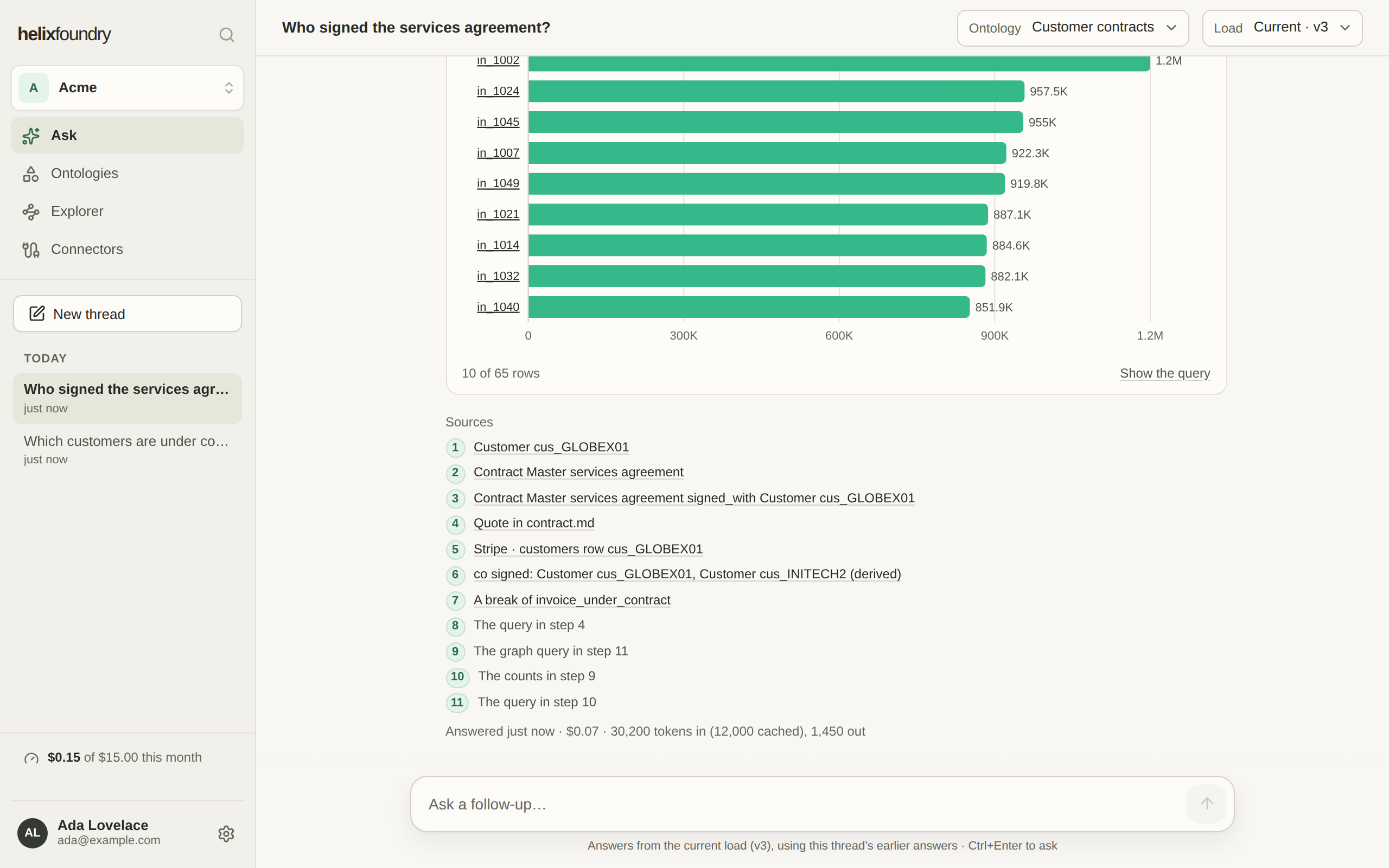
A thread is one column: each question, then its steps as they run, then the answer, with the composer pinned at the bottom.- Steps say what the agent read. Its first step reads what the load holds: its types and links and how many of each. Then it finds entities, reads them and their evidence, runs queries written as a path through the ontology’s types and links, and, for what those can’t say, queries the graph directly with a Helix read. Each step’s JSON is behind a disclosure. A step that failed says why, and the agent carries on.
- The answer is plain text with numbered citations, then Sources: each record, fact, derived fact, table row, document quote, rule break or step it cites. Select one to open it: an entity’s page, the row’s table, the quote in its document, or the step.
- Below the answer, what the question cost and the tokens it used.
Threads
While Ask is open, the sidebar lists the ontology’s threads under the sections, by their first question, grouped Today, Previous 7 days and Older. A thread being answered says so. New thread starts another. The foot of the list shows what the workspace has spent on questions this month, out of its monthly budget; select it for the limits. On a phone, Ask shows the threads first; choose one, or New thread, to open it.Ask about a record
On an entity’s page, select Ask about this to ask about that record in a drawer. The question is about the entity and the load the page reads; Open in Ask opens its thread.When Ask can’t answer
Limits and spending
Ask uses AI models: it sends your question, and what each step reads from the load, to the workspace’s AI models. Questions have their own monthly budget, apart from loads’; Usage shows both. Your agent can ask too, through the Helix MCP, within the same limits.Who can ask
Anyone in the workspace who can read the ontology’s database: members need Query read on the database’s Helix project. Ask only reads the load; it never writes to the database.Next steps
Explore the graph
Search and expand what a load wrote.
Load data
Ask reads a load, so keep the current one up to date.