

Guide
An API source takes data that no connector reads: your app’s records, or what an agent
produces. Your apps and agents send it pieces of data, JSON objects each with an id,
over HTTP or the Helix MCP. Foundry keeps every piece,
merges them by id into one table, events, and learns its fields from what arrives.
Ontologies read that table through mappings, or read each piece’s text by entity
extraction. API sources are on every plan.
Create an API source
1
Choose API source
In Connectors, select Add data, then API source under From your app or
agent.
2
Name and describe it
Give it a name, such as “Order lines”, and say what each piece is. Foundry’s agent
reads the description when it drafts an ontology from the source.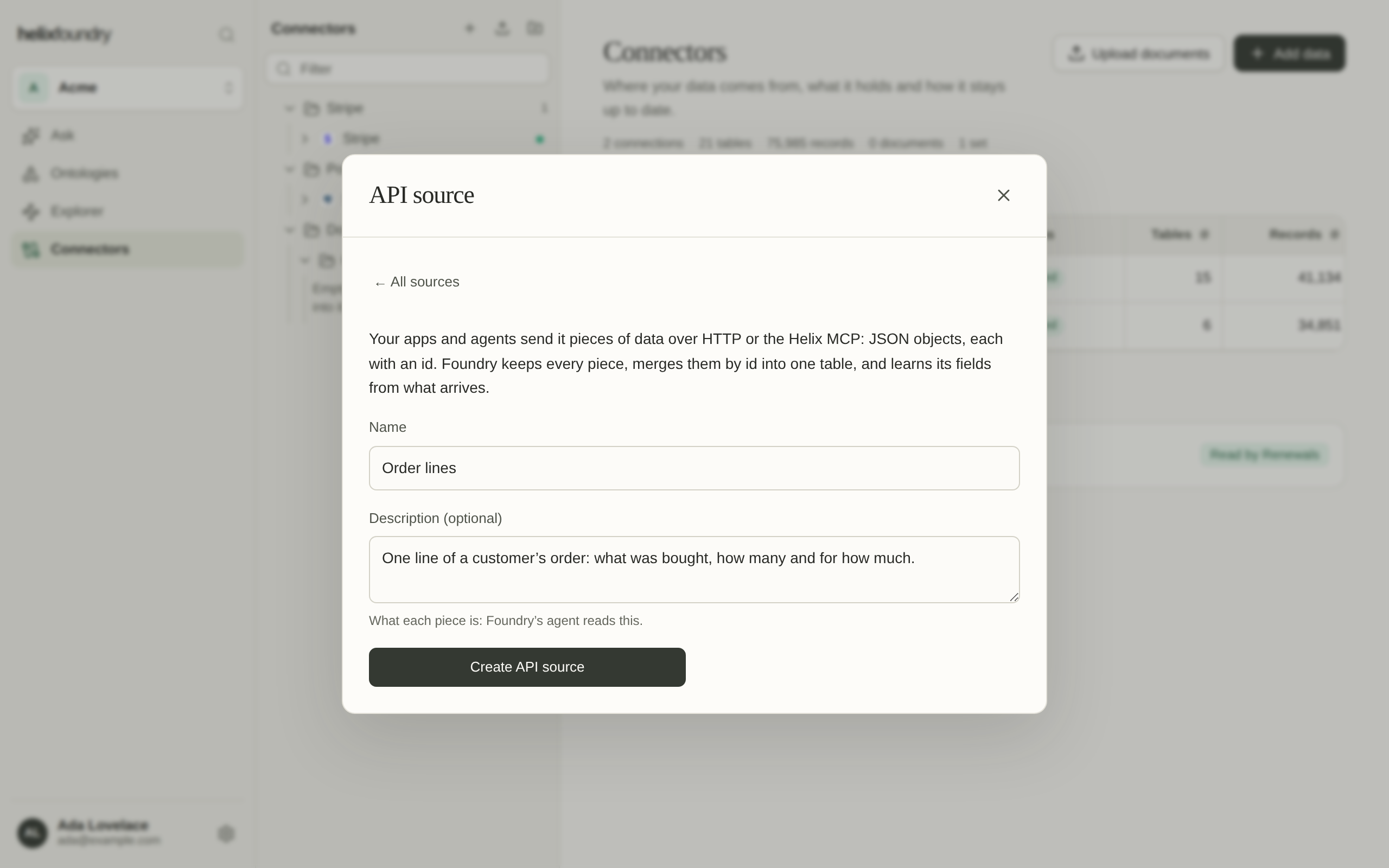
3
Make a send token
Select Create API source, then Create a send token for an app or agent that
sends on its own. Copy it at once, and put it in the sender’s environment as
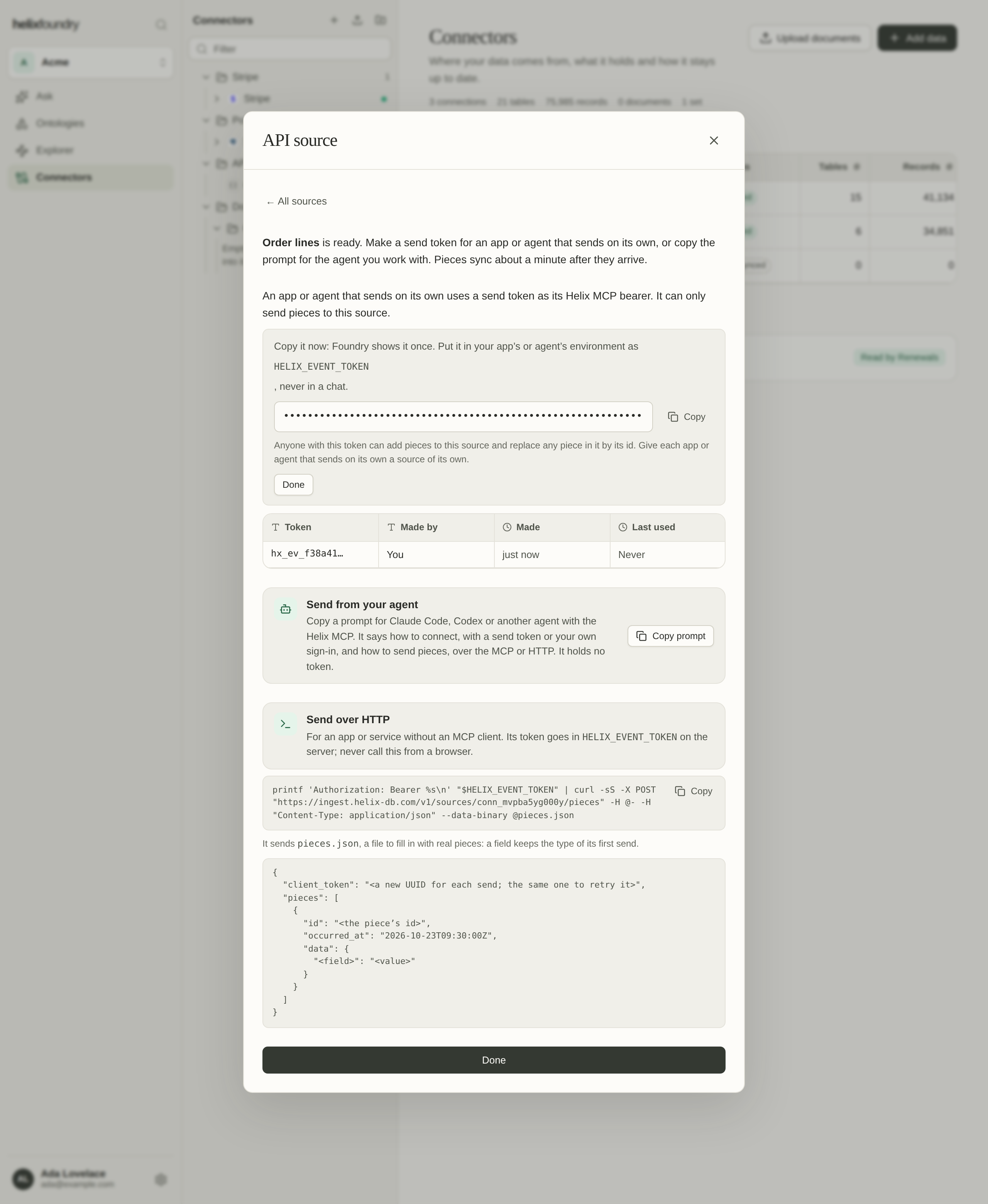
HELIX_EVENT_TOKEN.create_event_source action, after your
confirmation.
Send tokens
A send token,hx_ev_…, lets whoever holds it add pieces to one source and replace any
piece in it by its id; it reads nothing. Foundry shows it once and keeps only its hash.
The source’s Send tokens list names each by its prefix, with when it was made and
last used. Revoke turns a token off for good: senders using it are refused from then
on, so make a new one for them. A source holds up to 10 live tokens. Give each app or
agent that sends on its own a source of its own.
Owners and admins make and revoke tokens. They can also send as themselves through the
signed-in Helix MCP, without a token.
Send pieces
The source’s Send pieces panel has what a sender needs. Copy prompt copies instructions for Claude Code, Codex or another agent: how to connect, how to send and what each answer means.- Over HTTP
- Over the Helix MCP
POST https://ingest.helix-db.com/v1/sources/{id}/pieces, with the send token as
its bearer, from a server: never from a browser or an app on someone else’s device,
which would hand them the token. The panel’s curl reads the token from
HELIX_EVENT_TOKEN and sends pieces.json:pieces.json
client_token is required.What a piece is
A field keeps the JSON type it first had: string, number, boolean, object or array, and
null is always allowed. A send that changes a field’s type is refused and names both
types.
client_token is a new random value, such as a UUID, for each send: 16 to 64 printable
ASCII characters. To retry a send, send it again with the same token and the same
pieces; Foundry stores nothing new and answers replayed: true.
Answers
A send that is stored answers 200, with the source’scapacity, any warning and when
its next sync is due (next). One bad piece refuses the whole send, and none of it is
stored.
Read an API source
Pieces reach the source’s table at its next sync, about a minute after they arrive, on every plan. The source’s page lists its recent sends, its fields with the type each first had, its table and its documents, and how full it is.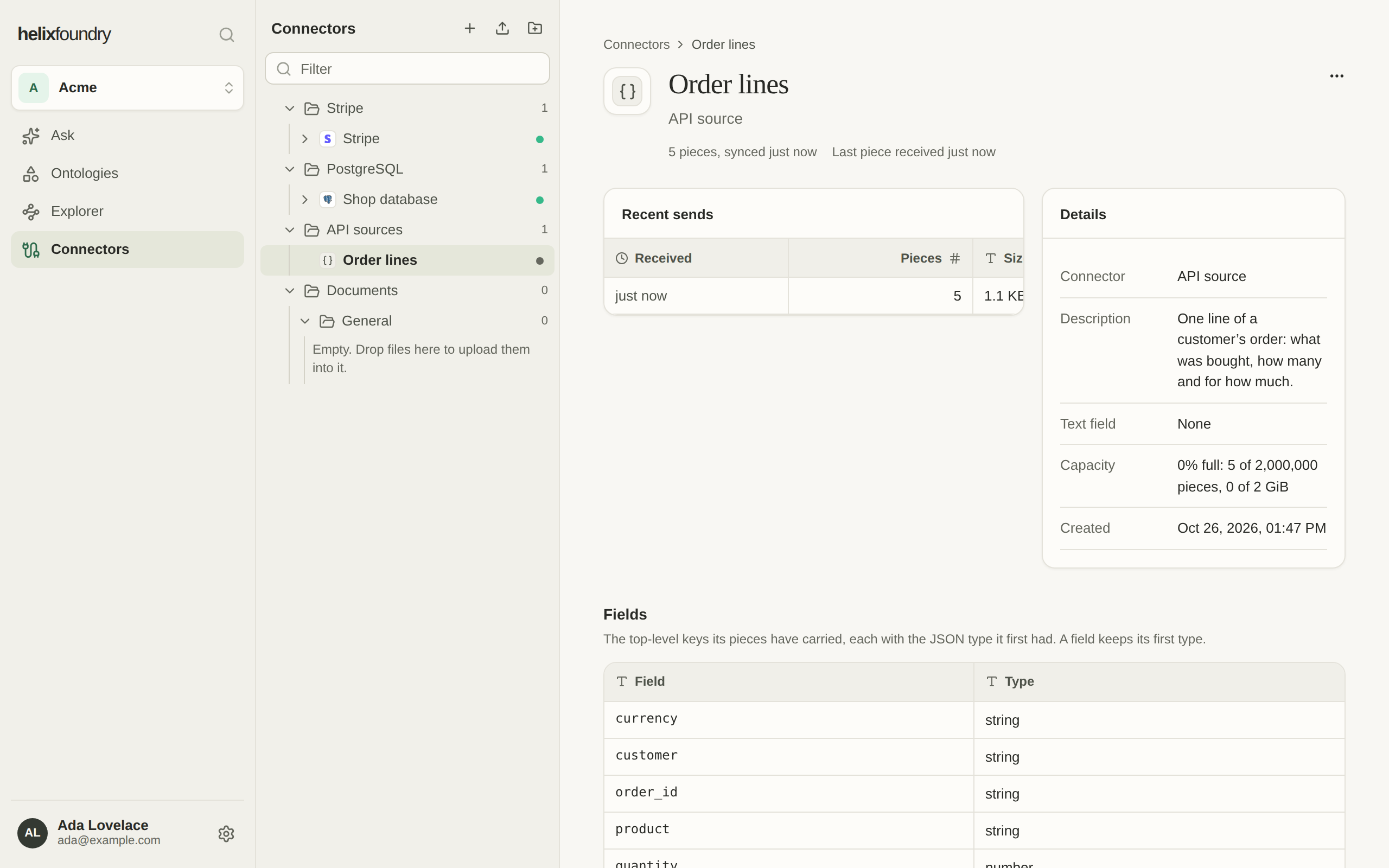
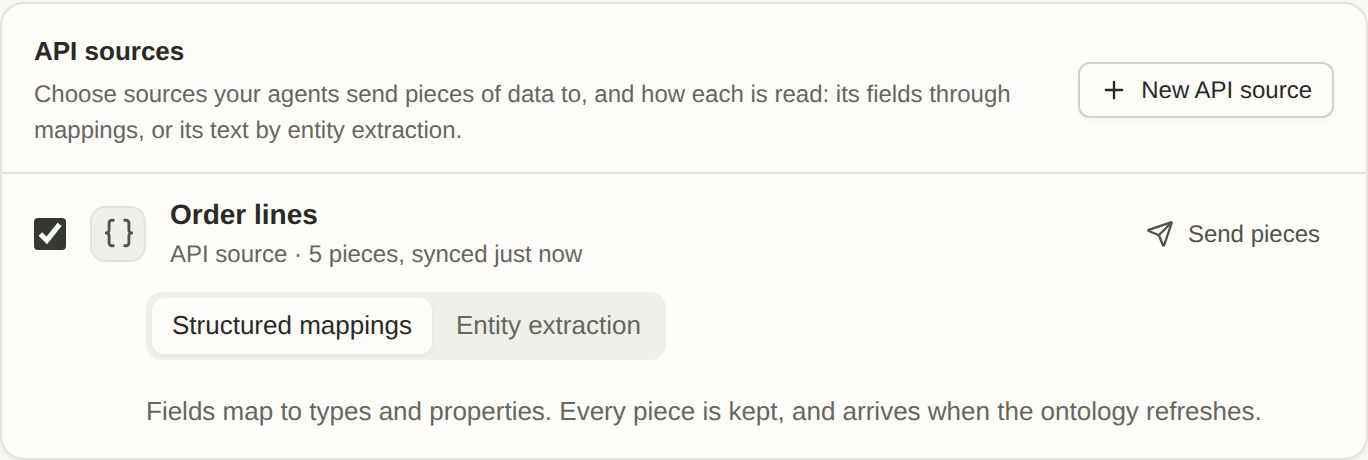
How ontologies read it
On New ontology and in Generate, API sources lists the sources that have synced pieces. Choose one, and how it is read:- Structured mappings suit strictly structured JSON: ids, amounts, statuses, times. Its fields map to types and properties, as a synced table’s columns do, and every piece is kept.
- Entity extraction suits pieces whose body is text, such as an agent’s reply or a note: Foundry’s agent reads the text and finds the entities and facts it describes. Choose the source’s text field, the top-level field holding each piece’s text, which must stay a string in every piece. Its newest 500 pieces become Markdown documents in a set of the source’s own, which loads read like any document.
Limits
Next steps
Helix MCP
Connect your agent to Foundry.
Generate an ontology
Draft an ontology from your API sources.