

Guide
Foundry’s tools are on the Helix MCP, at https://mcp.helix-db.com/mcp. Connect your
agent to it, sign in once, and the agent works in Foundry as you: it reads your
ontologies, their versions, loads and graph, asks them questions, and makes the changes
you ask for, each after a confirmation. It can’t add a connector’s credentials, delete
anything or change billing; those stay on the website.
Connect your agent
The MCP signs you in with OAuth in your browser, with the account you use for Foundry.- Claude Code
- Codex
- Other clients
/mcp in Claude Code and sign in.helix-foundry-mcp covers reading and asking, and helix-foundry-actions-mcp the
changes and their confirmations.
Set up a workspace with your agent
A new workspace opens on its first ontology’s steps. Set up with your agent, at the top of that page and on an unfinished ontology’s overview, copies a prompt for Claude Code, Codex or another agent with the Helix MCP. It says how to connect the MCP, where the workspace’s setup stands, and the steps left, and the agent asks you before each change it makes.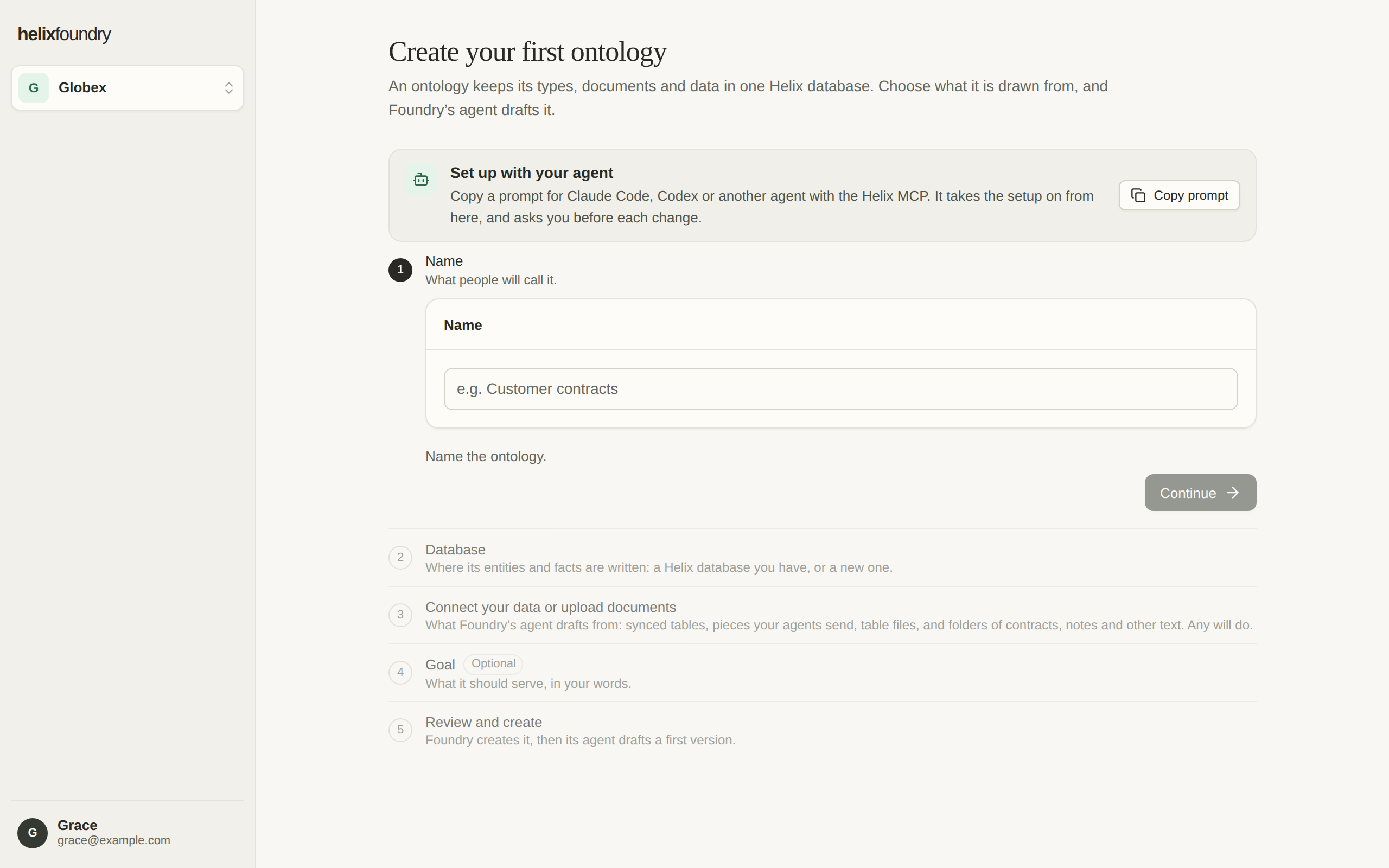
What your agent can read
Reading a load, through the graph or through Ask, needs Query read on the
database’s Helix project, as on the website.
Ask questions
helix_foundry_ask asks an ontology’s load a question in plain language, as
Ask does, and waits up to 25 seconds for the answer. A
longer question carries on: the agent follows it with helix_foundry_get_question, reads
its steps with helix_foundry_list_question_events, and stops it with
helix_foundry_cancel_question. helix_foundry_list_questions lists the ontology’s
questions. Questions asked through the MCP count against the same hourly limit and
monthly budget as Ask’s.
Changes, with a confirmation
Every change takes two calls.helix_prepare_foundry_operation checks the change and
returns a confirmation for it: one-time, valid for five minutes, and bound to that
operation, its target and its exact payload. helix_execute_foundry_operation uses the
confirmation and makes the change once. Agents with Helix’s skills show you what they
are about to do and ask before they execute it.
A change is refused for the same reasons as on the website: your role, the database’s
project rights, a sync or generation already running, the
workspace’s hourly generations, or the month’s
spending caps. Making a version current is refused if someone moved the current
version since the agent read it.
Connectors stay on the website
An agent never handles a connector’s credentials. When you ask it to connect a source,helix_foundry_connector_link gives it a link to Foundry’s Add data form for that
kind, in your workspace, such as
https://foundry.helix-db.com/data?add=stripe&workspace=<id>. Open the link, follow the
form’s steps, and the agent carries on once the connection has synced.
API sources hold no credentials, so an agent can create one
and send it pieces with helix_foundry_send_pieces.
Service credentials
For an agent that runs without a person, such as in CI, use a Helix service credential (hlxs_…) as the MCP’s
bearer token instead of signing in: --header "Authorization: Bearer hlxs_…" for Claude
Code, or bearer_token_env_var in Codex’s MCP config. Keep it in a secret store, never
in a prompt or a repository.
A service credential reaches only the ontologies whose database is in a project it is
granted, and only an ontology a person has set up.
It can’t list or sync connections, generate drafts, create ontologies or API sources,
or settle reviews: those need a person.
An API source’s send token (
hx_ev_…) works as a
bearer token too, and sees only helix_foundry_send_pieces, for its own source.
Report a problem
helix_feedback sends Helix a bug, a missing capability or a confusing result, one
call per problem, without your data. Helix’s skills have agents use it when something
goes wrong. Each caller can send 20 an hour, of up to 4,096 bytes each.
Next steps
API sources
Send your app’s or agent’s data to Foundry.
Ask questions
What Ask reads, and its limits.