

Guide
Records is the Explorer’s table view: one type at a time, searchable and sortable,
with every record’s links and where it came from. An entity’s page gathers everything
the load knows about one record.
Read a type as a table
In the Explorer, select Records. Choose a type at the top; the count beside it is how many records the load holds.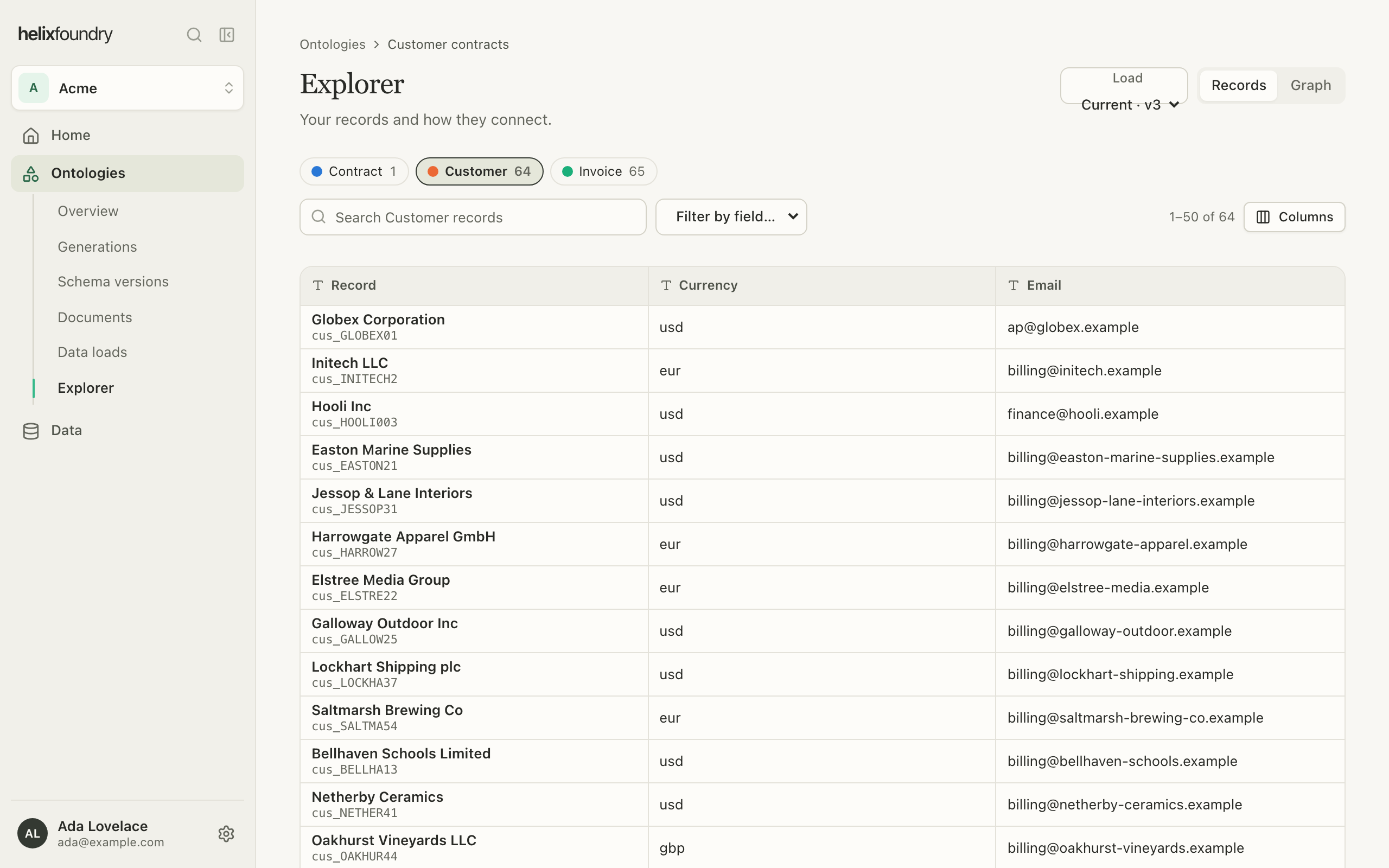
- Search finds records by name or key.
- Filter by field keeps the records whose field matches a value.
- Select a column’s header to sort by it, and Columns to choose which show.
- Pages hold 50 records. Searches and filters count up to 1,000 matches, and paging reaches the first 10,000 records of a type.
Open a record
Select a row to open the record beside the table: its properties, its links to other records, and Where it comes from. A link or record that came from a table names the source and row; one that came from a document shows the quote, with a link to it in the document.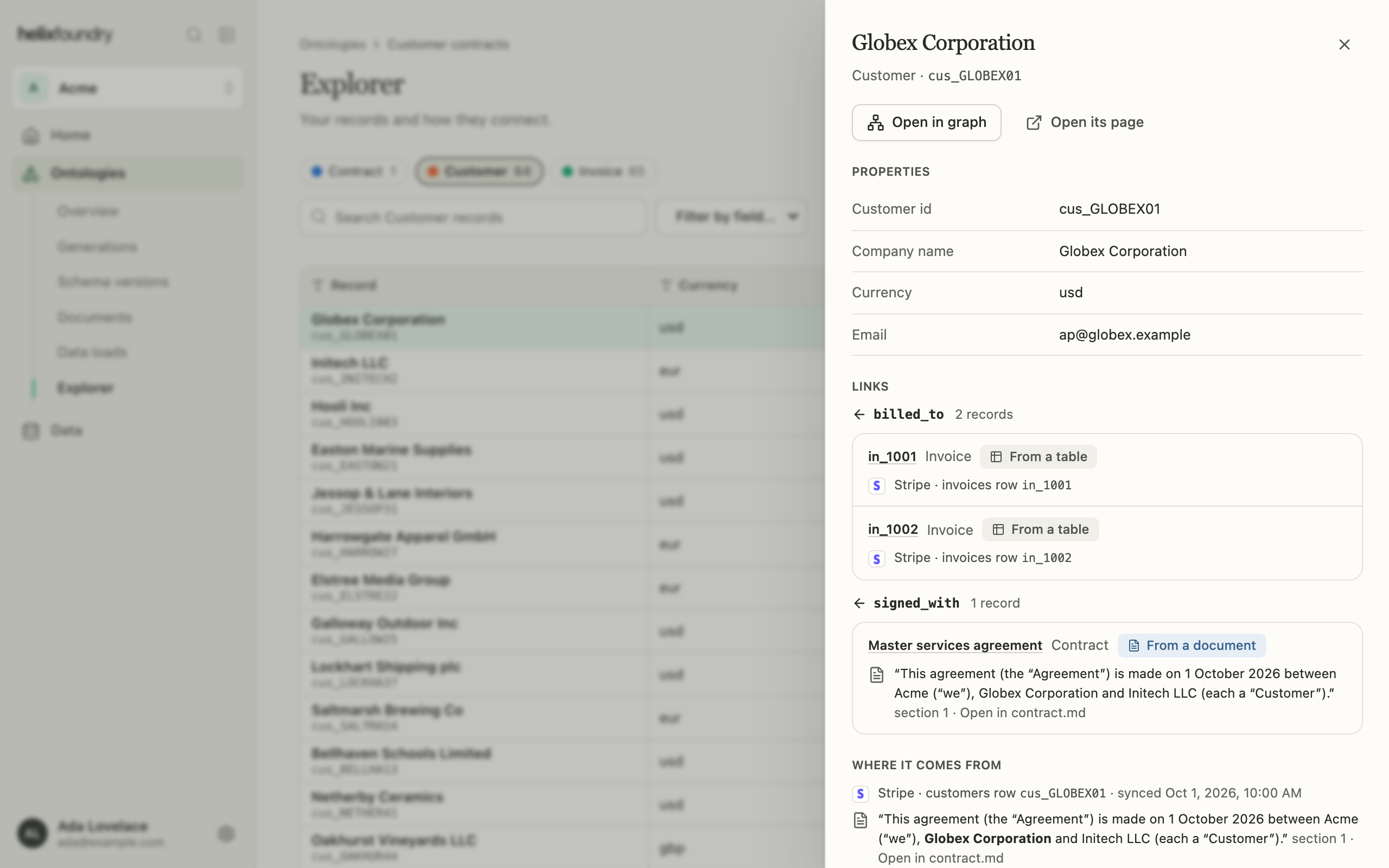
An entity’s page
An entity’s page names the record’s type, key and sources, with tabs for its Overview (properties), Facts (its links, with their evidence), Mentions (where documents name it) and Needs review.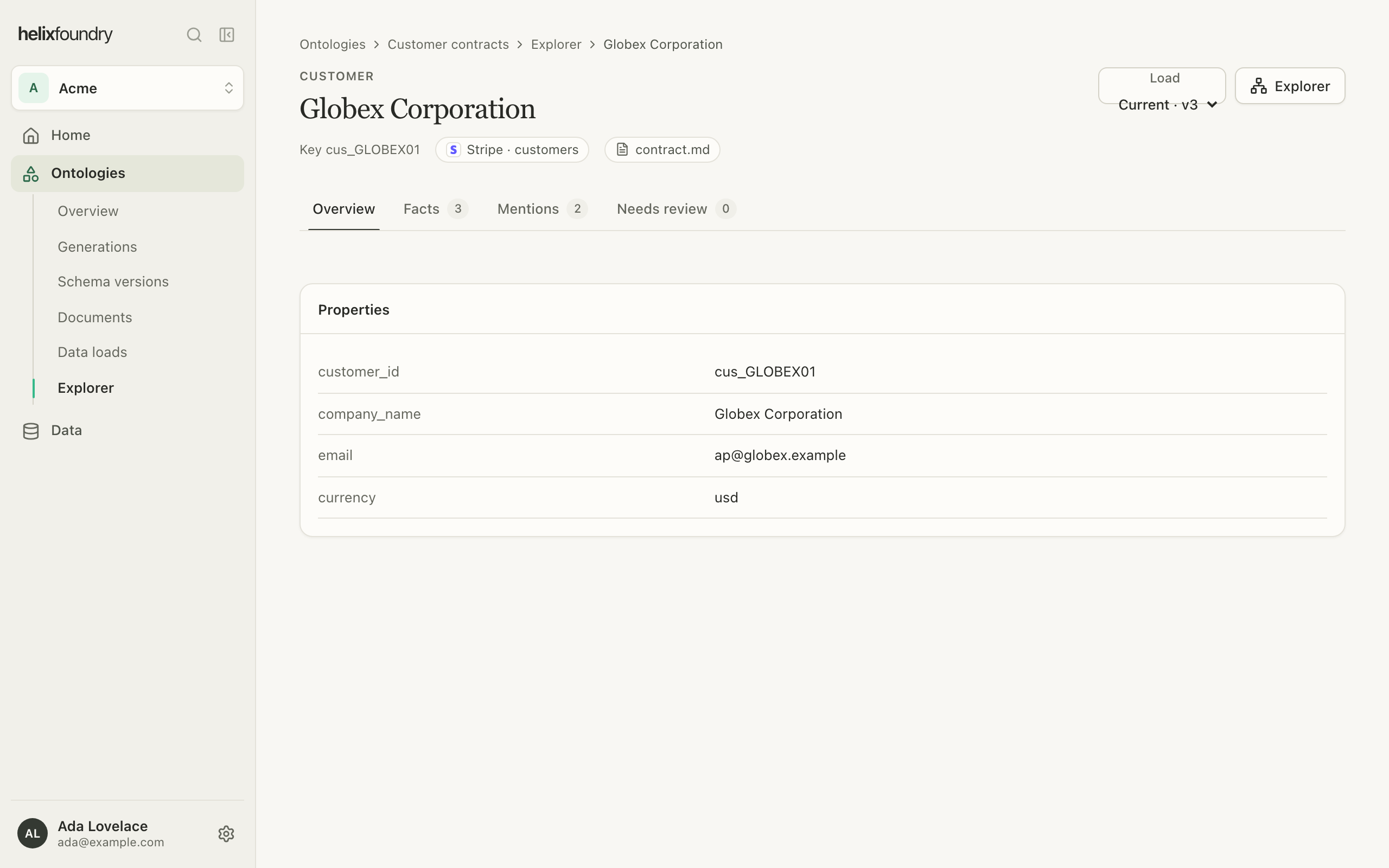
Next steps
Explore the graph
Search, expand and compare loads.
Upload documents
Add the documents facts and mentions come from.