

Guide
The Explorer draws what a load wrote into the ontology’s database: its records and how
they connect. It reads the database with your session and never writes to it. Switch
to Records at the top to read the same data as tables.
Load, then search the graph and read a type as records.
Read the graph
The Explorer opens on a connected sample of the current load: records of its central types, their neighbors, and the links among them. The rail on the left lists the version’s types and links with how many the load holds and how many are drawn.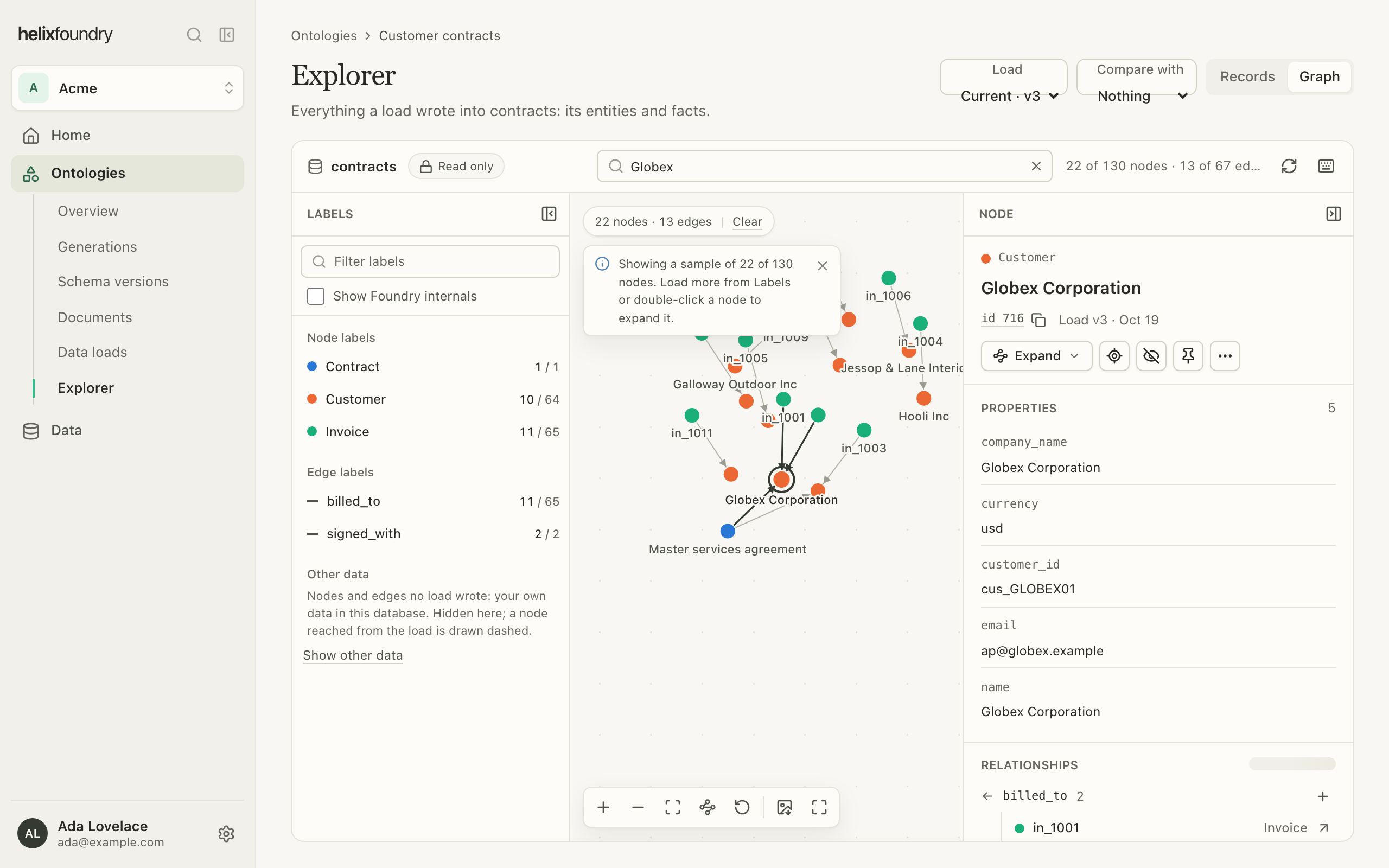
Select a record to open it in the inspector on the right: its type, its properties, the
load that wrote it, and its relationships with their counts.
Records are named the way the version says: by a name property, else by their keys.
A record drawn with a dashed outline was reached outside the load you’re reading; the
inspector names its load.
Choose a load
The Load picker reads another load of the ontology. Links between the Explorer, Records, a record’s page and a document keep the load you chose. Other data shows what no load wrote: data the database held already, or that your own applications write. It is hidden while you read a load, and listed below the rail.Show Foundry’s own records
Loads also write Foundry’s bookkeeping beside your data: documents, their sections, mentions and evidence, and reviews. The Explorer hides these until you select Show Foundry internals under Labels. They are then listed apart and drawn grey. The choice is kept in this browser.Compare two loads
Choose a second load under Compare with, or select Compare with current in Data loads. The two loads are drawn side by side over What changed: the count of each type and link in each load. Open a type to see the records added, removed and renamed between them, by key, and select one to find it on its side.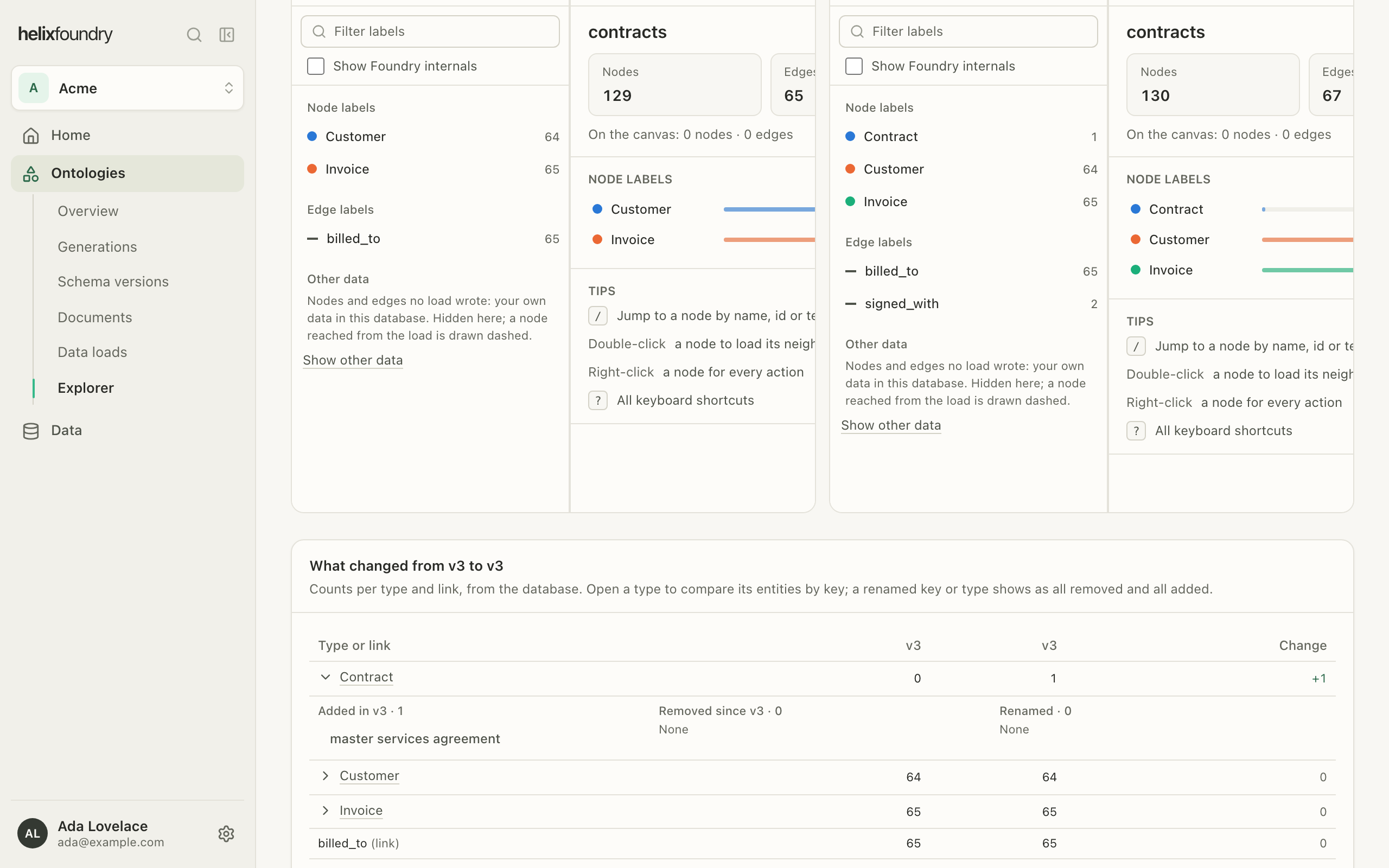
When a database is starting
A database created in the last few minutes may not answer yet. The Explorer says it is starting and opens by itself once it answers.Next steps
Records and entities
Read each type as a table, and a record’s page.
Ask questions
Ask the graph questions in plain language. Coming soon.