

Guide
An ontology holds the types, links and rules that describe your data, with its
versions, documents and loads. Each one is bound to one Helix database, which its loads
write into. A workspace can have several ontologies, one per database.
Ontologies lists the workspace’s ontologies with the database each one uses.
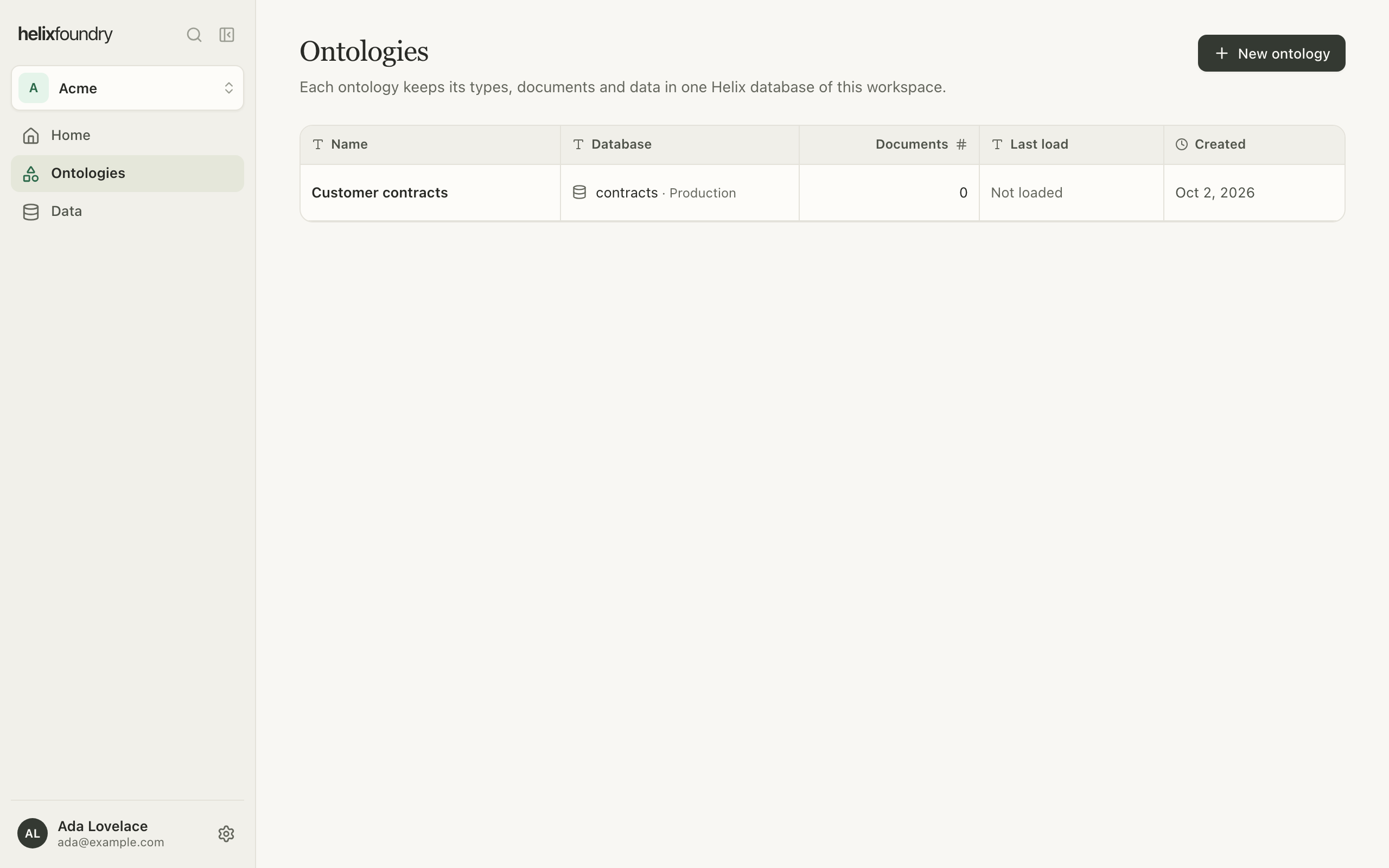
Create one
1
Name it
In Ontologies, select New ontology and give it a name, such as “Customer
contracts”.
2
Choose its database
Use an existing one lists the live databases in the workspace’s Helix projects.
A database another ontology uses is greyed out. Loads write beside anything the
database already holds, and Foundry never deletes it.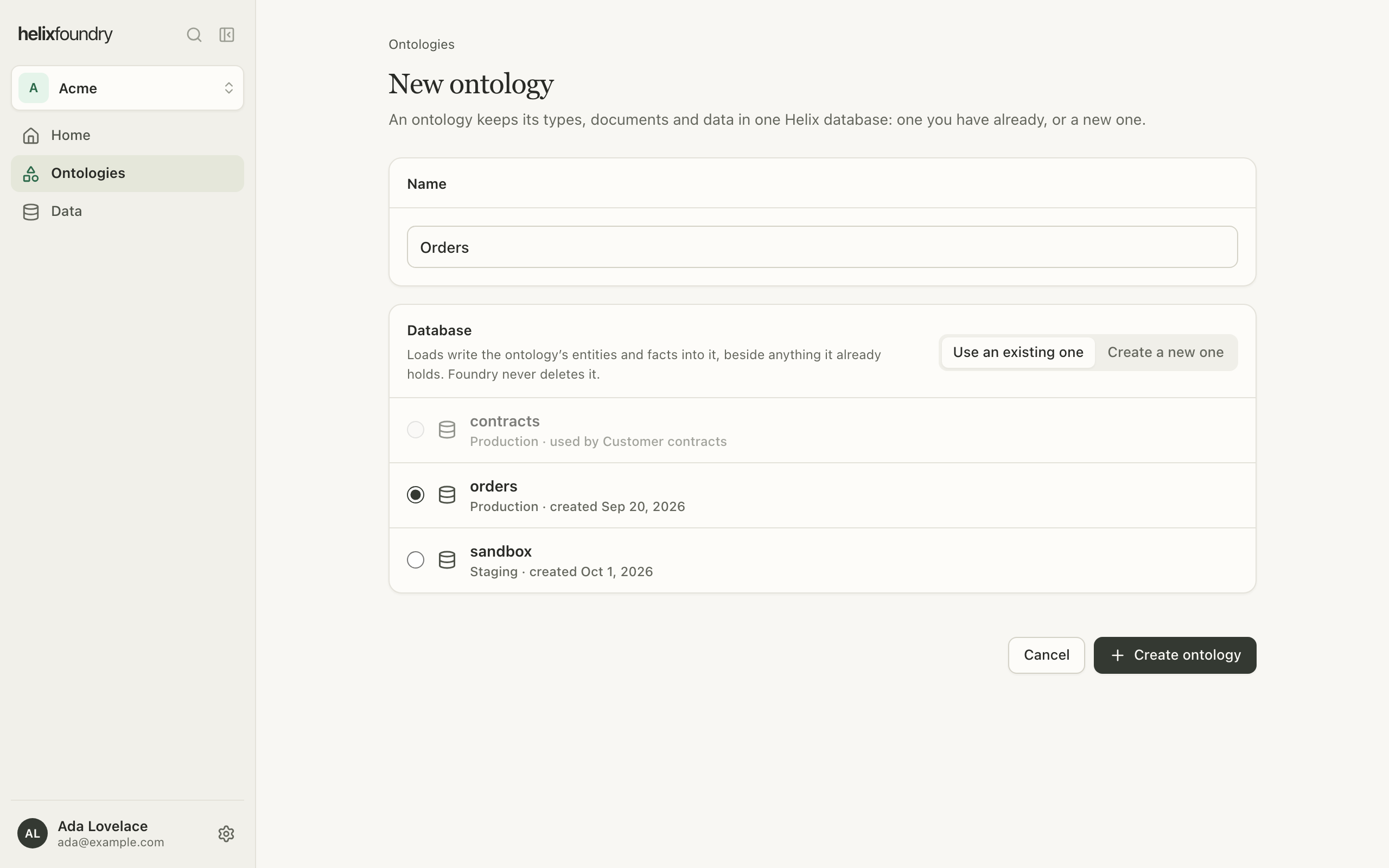 Create a new one makes a database in the project you choose, on Helix’s shared
cluster, under the workspace’s Helix plan. Its address is the name you give it, with
a short suffix when another database already has it.
Create a new one makes a database in the project you choose, on Helix’s shared
cluster, under the workspace’s Helix plan. Its address is the name you give it, with
a short suffix when another database already has it.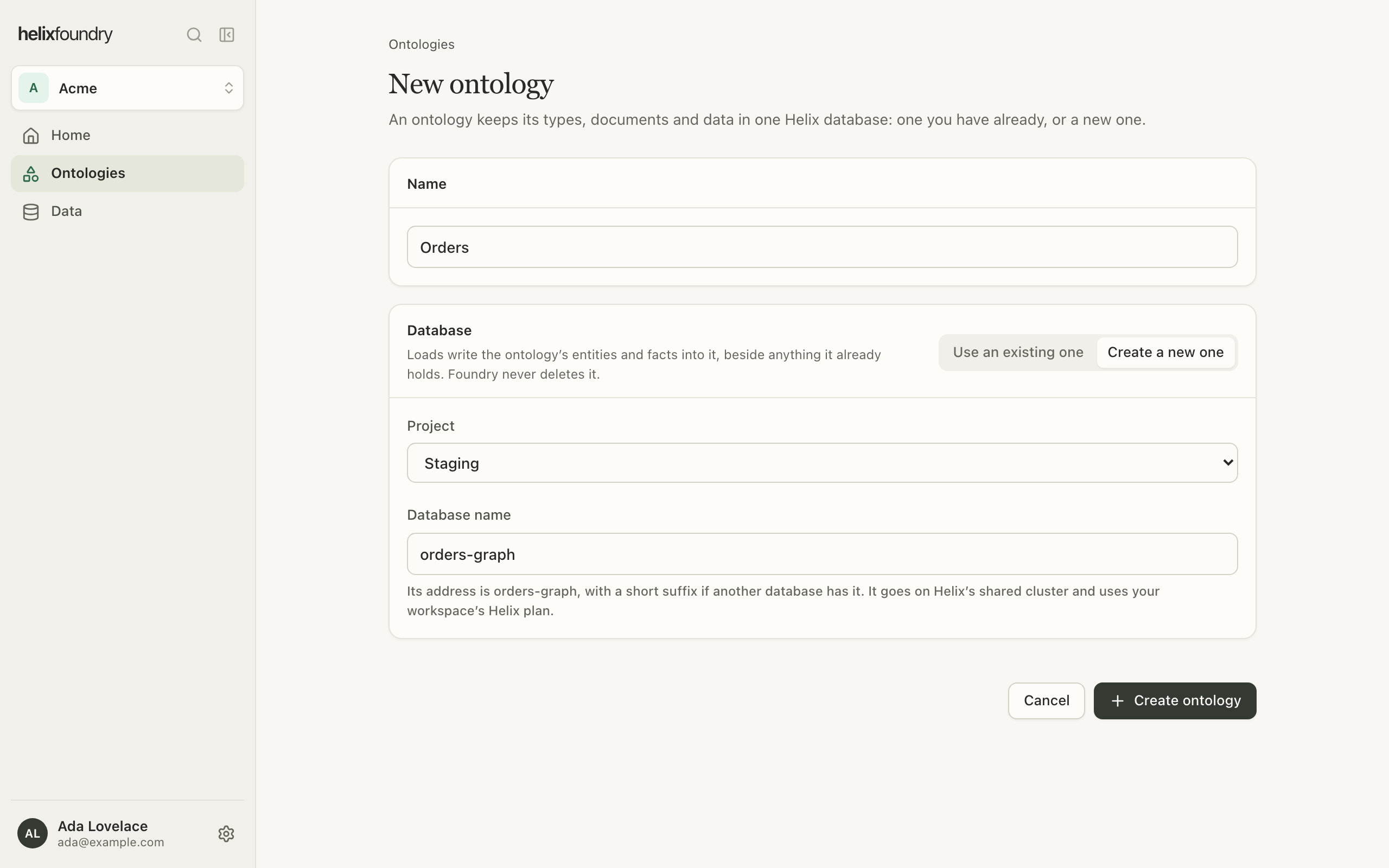
3
Create it
Select Create ontology. The ontology opens on its overview, ready for its first
generation.
A new database comes with a first API key. Foundry never keeps or shows its token;
right after you create the ontology, its overview says so once and links to the
database’s keys in the Helix dashboard, where you can revoke it or make your own.
The overview
An ontology’s overview shows its current version as a scene or as a schema, and what needs doing next: a generated version to review, or a current version that isn’t loaded yet.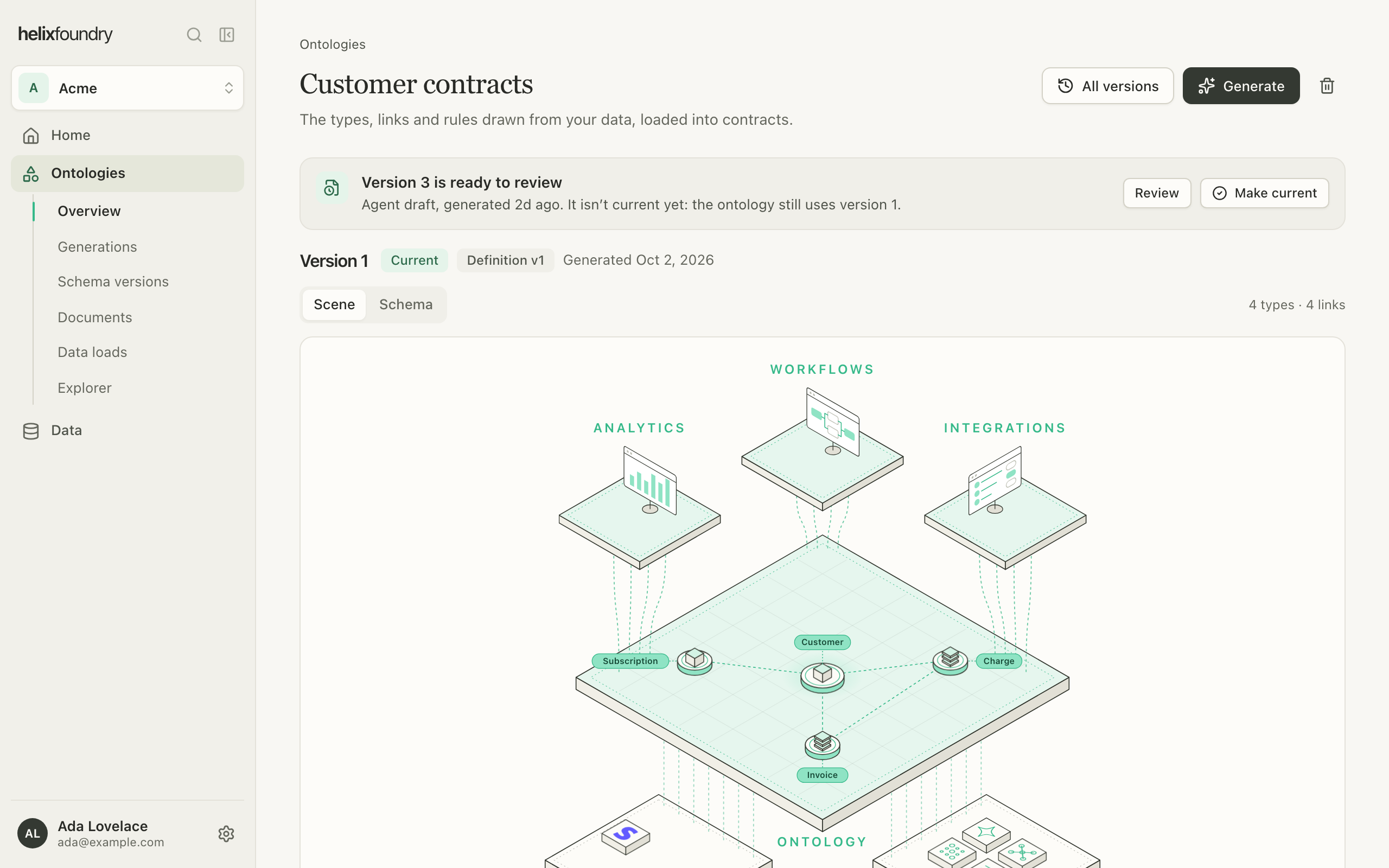
Delete an ontology
Select the bin on the overview. Foundry deletes the ontology, its versions and documents, and, in the background, everything its loads wrote into the database, including links your own data added to those records. The database and its other data stay. The database can take a new ontology once that removal finishes.Who can do what
Owners and admins create and delete ontologies, and need write access to the database’s Helix project to do so. Members see every ontology. A member who can’t read the database’s project sees the ontology without its database’s details or contents.Next steps
Generate an ontology
Draft a version from your synced tables.
Upload documents
Add the files a load reads for names and facts.