

Reference
Foundry reads five kinds of source. Apps sync every table their credential can read;
databases sync the tables you choose. Every credential only needs read access.
Stripe
In Stripe, open API keys and select Create restricted key. Name it “Helix Foundry”, set Read on the objects you want and leave everything else as None. Foundry reads test or live data, as the key says. Use a sandbox or test mode key first to try Foundry without live data. Syncscustomers, products, prices, coupons, promotion_codes, subscriptions,
subscription_items, invoices, invoice_line_items, charges, payment_intents,
refunds, disputes, payouts and balance_transactions. A table the key can’t read
is skipped and named after the test; the test fails only when the key can read none.
WorkOS
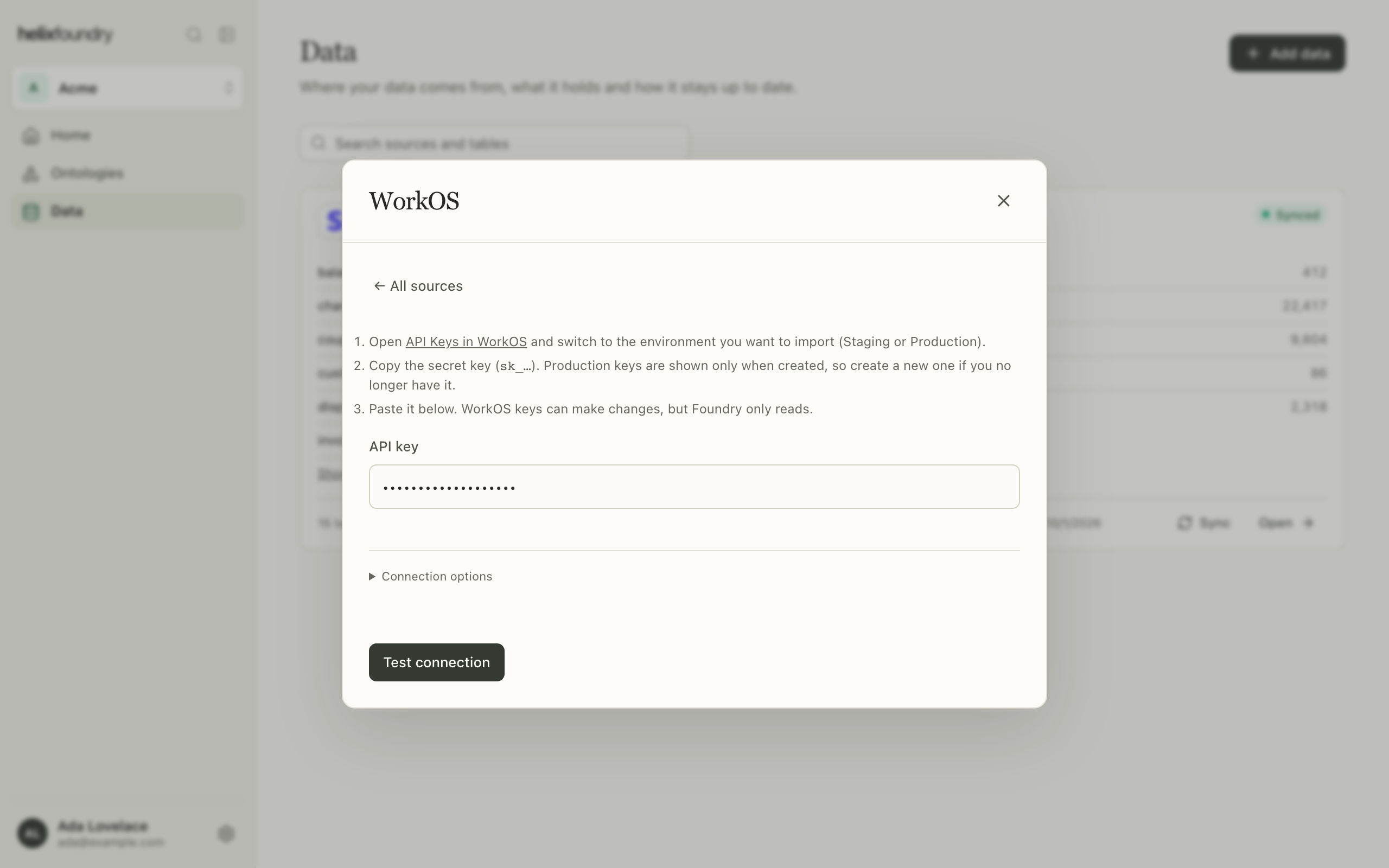
In WorkOS, open API Keys in the environment you want to import (Staging or Production) and copy the secret key. Production keys are shown only when created, so create a new one if you no longer have it. WorkOS keys can make changes, but Foundry only reads. Syncsorganizations, users, organization_memberships, invitations,
sso_connections, directories, directory_users, directory_groups and
directory_group_members.
PostHog
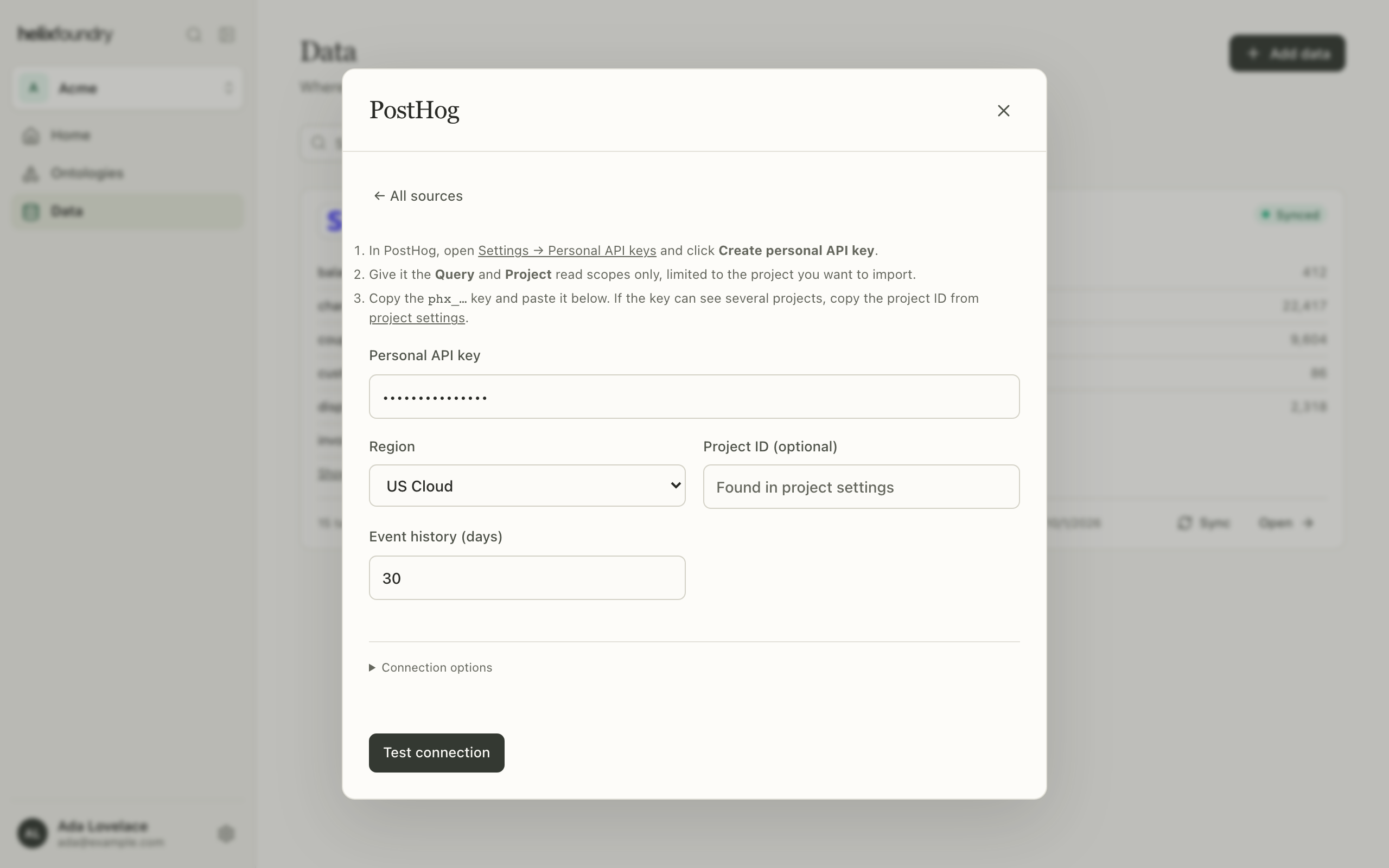
In PostHog, open Settings → Personal API keys and select Create personal API key. Give it the Query and Project read scopes only, limited to the project you want to import.
Syncs
persons, person_distinct_ids and groups in full, and events and
daily_event_counts for the event history you chose.
PostgreSQL
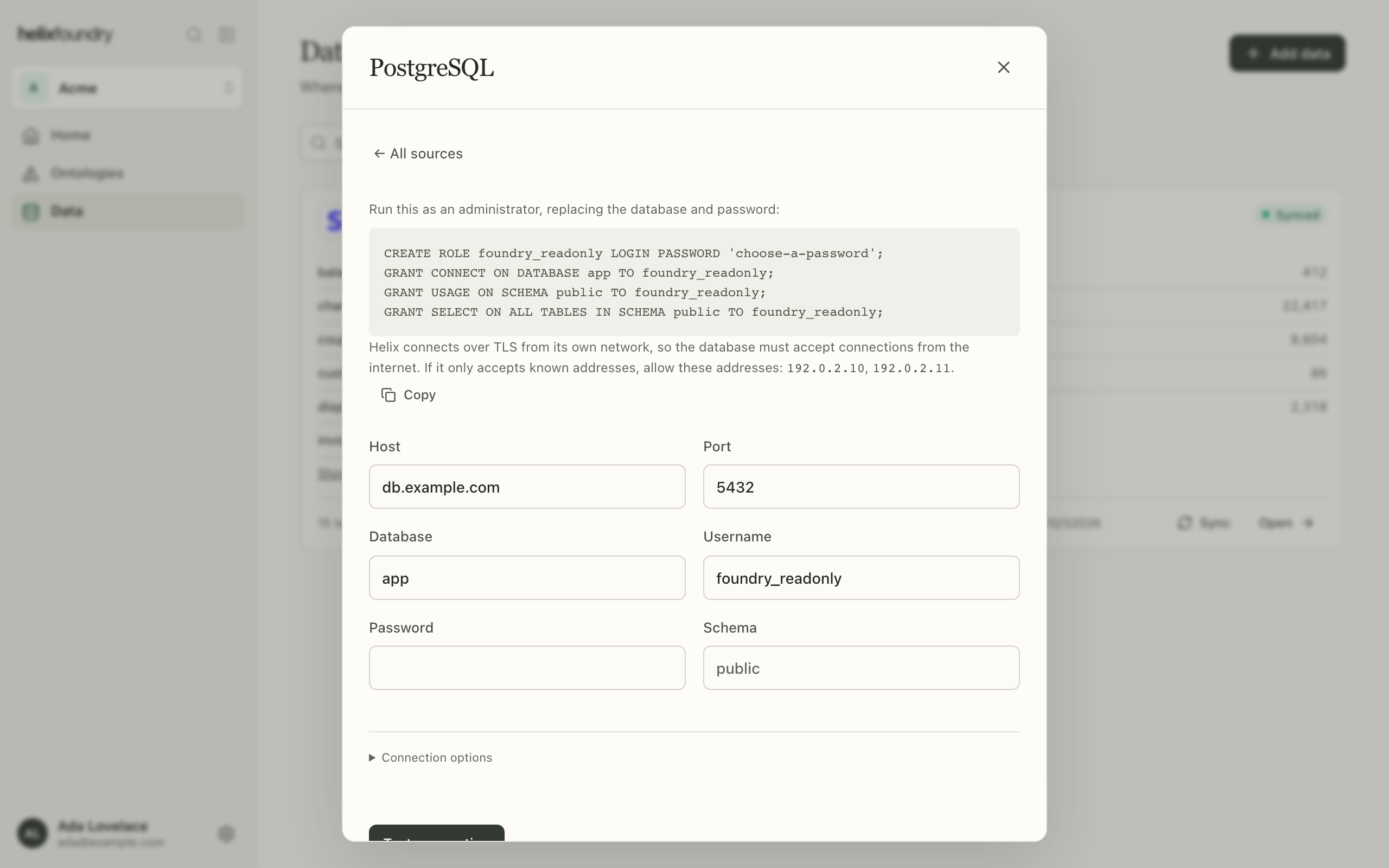
Create a read-only user as an administrator, replacing the database name and password:
After the test, choose the tables to sync. Every table in the schema starts selected,
and keeping them all also syncs tables added later; views are not synced. If a selected
table is dropped or renamed, syncs fail until you edit the connection and test it
again.
MySQL
The same fields as PostgreSQL, with port3306 and no schema: Foundry reads the
database you name. Give the user SELECT on it only.
Network access for databases
Foundry connects to a database over the internet from Helix’s network, so the database must accept connections from outside your network. If it only accepts known addresses, allow the outbound addresses the form lists, and select Copy to copy them. Foundry refuses private, loopback and shared address ranges, and follows no redirects.Limits
Next steps
Connect data
Add a connection and follow its syncs.
Plans and billing
Upgrade to Pro for PostgreSQL and MySQL.