

Guide
Documents carry what your tables don’t: who signed a contract, what was agreed, who
referred whom. Upload them to an ontology, and each load reads them into its database,
linking the names they mention to the records your tables hold.
Upload
In the ontology’s Documents, choose files or drop them on the page. Foundry checks each file before it uploads it, then sends it straight to storage with its progress.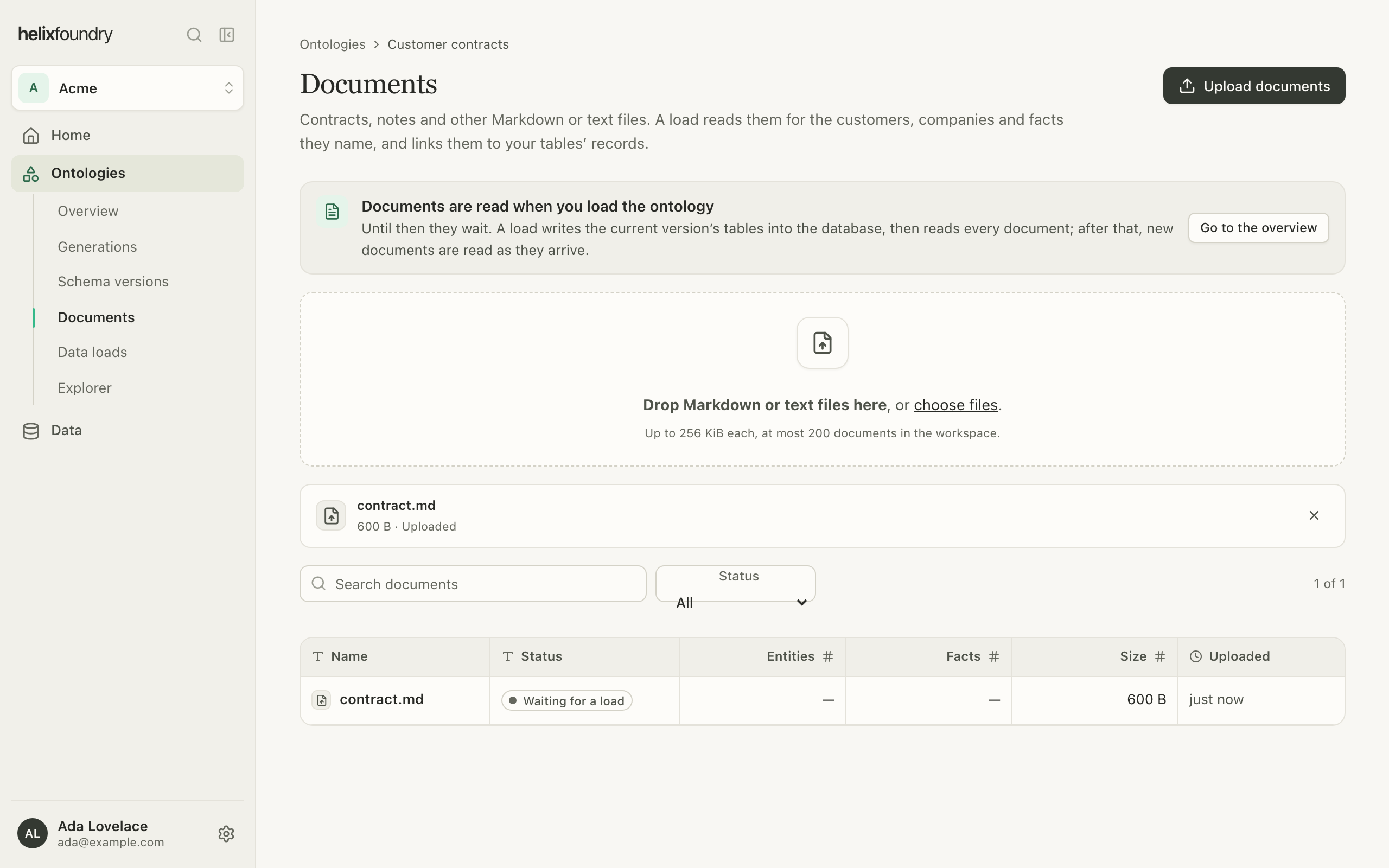
How documents are used
- Generations give the agent the names of the ontology’s 50 most recently uploaded documents, so a draft can add types for what they hold, such as a contract.
- Loads read every document: its sections, the names it mentions, and the facts it states, each with the quote it came from. What a load can’t settle, such as a name the database doesn’t hold, an ambiguous name, a quote it couldn’t verify or a fact that conflicts with your tables, goes to Needs review instead of becoming a record.
- A document uploaded after the current load is read into that load as it arrives.
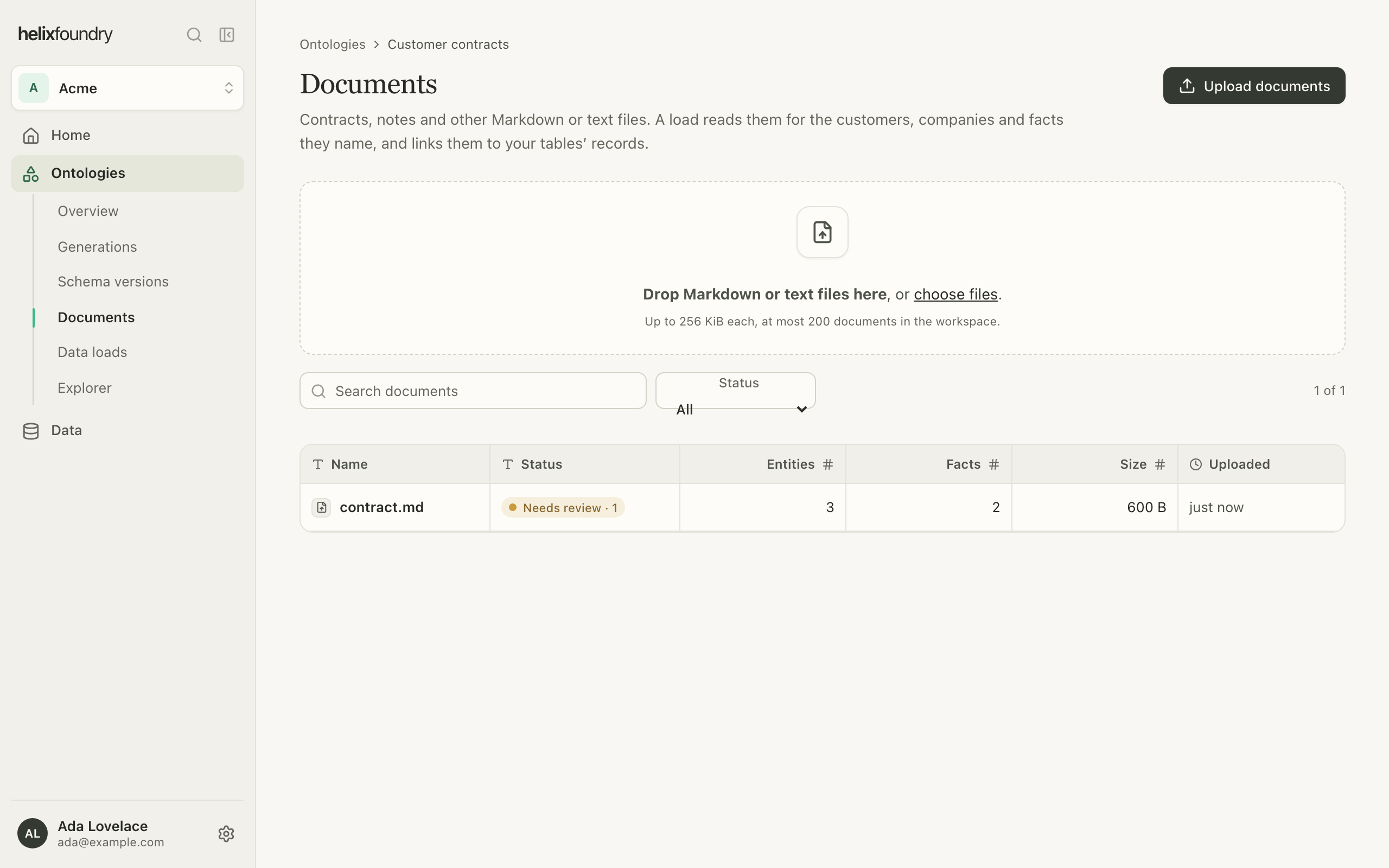
Read a document
Open a document to see its text as the load read it: names underlined, quoted facts tinted and anything that needs review marked. Beside it, Facts, Entities and Needs review list what the load found, each linked to its record.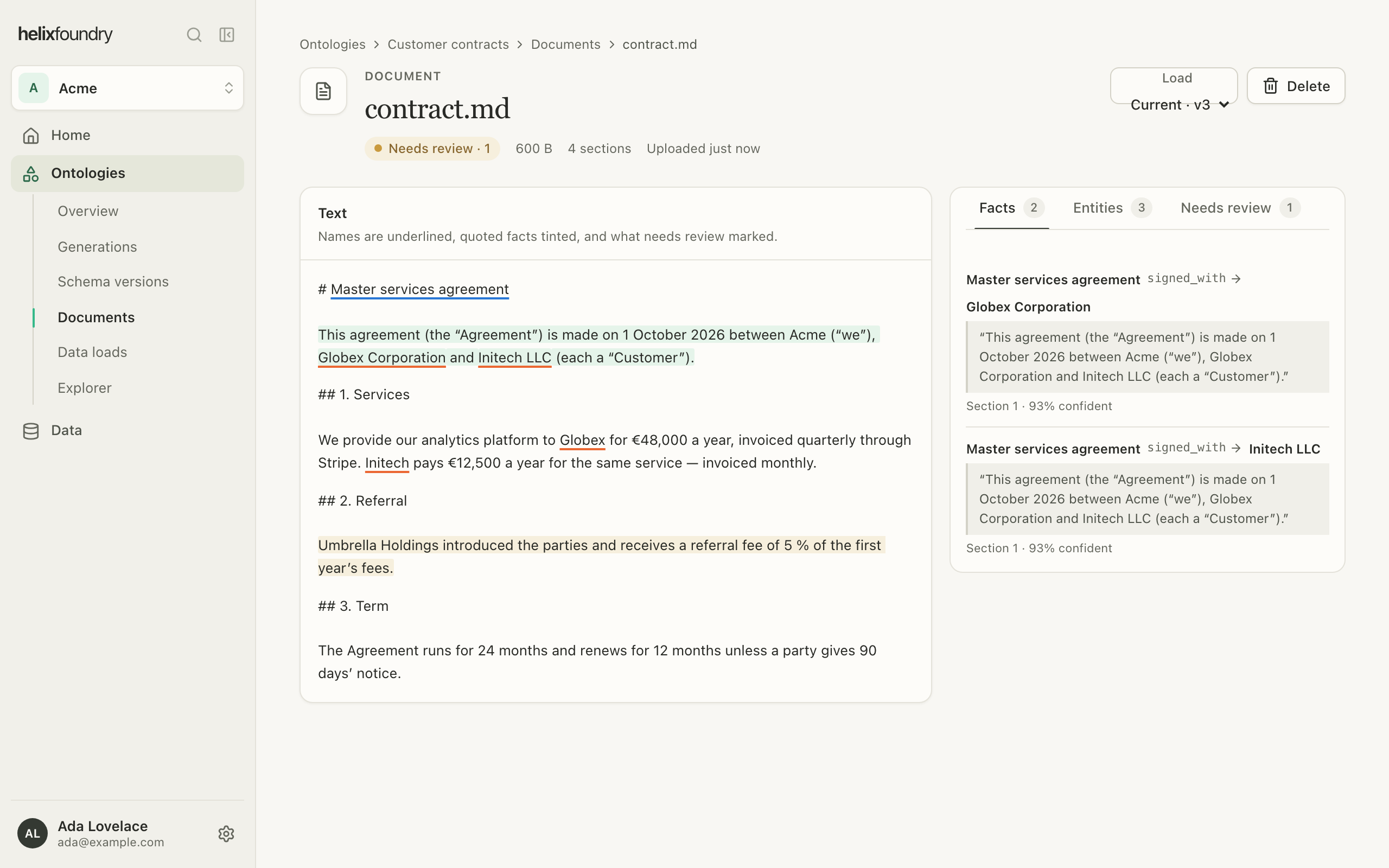
Delete a document
Select Delete on a document’s page. Owners and admins upload and delete documents; members read them.Next steps
Load data
Write tables and documents into the database.
Records and entities
See every place a record comes from.