> ## Documentation Index
> Fetch the complete documentation index at: https://docs.helix-db.com/llms.txt
> Use this file to discover all available pages before exploring further.
# Members and roles
> See who is in a Helix Foundry workspace, invite people, and what owners, admins and members can do
Guide
Everyone in a workspace shares its data, ontologies and plan. Foundry uses the
workspace's Helix Cloud members and roles, so someone you add in either place has access
in both.
## See the members
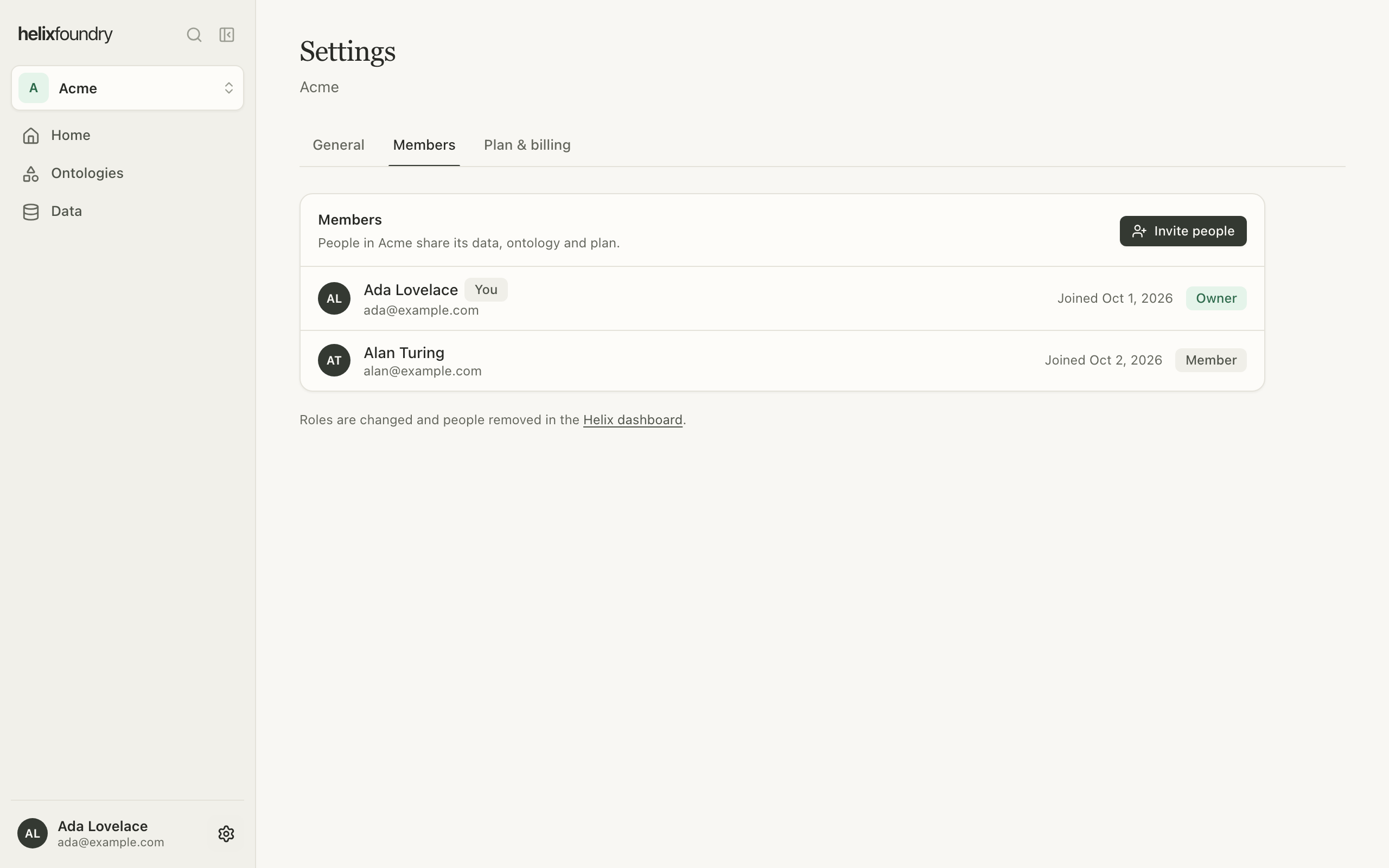
**Settings** → **Members** lists everyone in the workspace with their role and when they
joined.
 ## Invite people
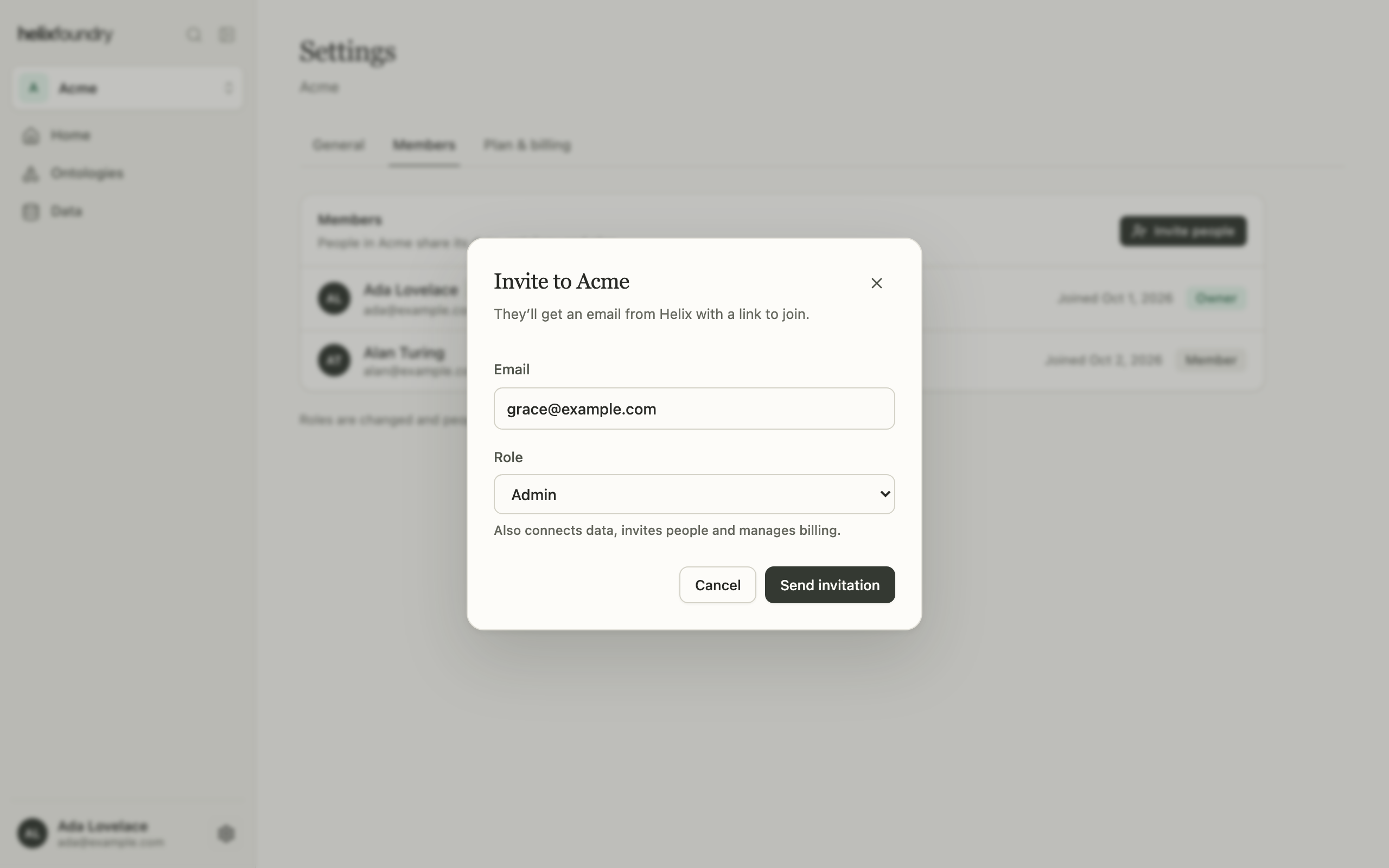
Owners and admins select **Invite people**, enter an email address and choose a role:
* **Member** sees everything in the workspace.
* **Admin** also connects data, invites people and manages billing.
## Invite people
Owners and admins select **Invite people**, enter an email address and choose a role:
* **Member** sees everything in the workspace.
* **Admin** also connects data, invites people and manages billing.
 The invitation arrives by email and is accepted through Helix. To make someone an owner,
change a role, remove someone or manage pending invitations, use the
[Helix dashboard](https://helix-db.com/login).
## What each role can do
| Action | Owner | Admin | Member |
| - | :-: | :-: | :-: |
| See data, ontologies, versions, documents, loads and the plan | ✓ | ✓ | ✓ |
| Explore and read records | ✓ | ✓ | With **Query read** on the database's project |
| Add, sync, edit and delete connections | ✓ | ✓ | |
| Create and delete ontologies | ✓ | ✓ | |
| Generate, make versions current, upload documents and load | ✓ | ✓ | |
| Invite people | ✓ | ✓ | |
| Upgrade, switch, cancel and manage billing | ✓ | ✓ | |
Reading what a load wrote, in the Explorer, Records and a document's text, needs
**Query read** on the database's Helix project; grant it in the Helix dashboard. Creating
or deleting an ontology, uploading documents and loading also need write access to that
project.
## Next steps
Compare Free, Pro and Max.
Switch workspaces and find your way around.
This documentation is built and hosted on [Mintlify](https://mintlify.com), a developer documentation platform.
The invitation arrives by email and is accepted through Helix. To make someone an owner,
change a role, remove someone or manage pending invitations, use the
[Helix dashboard](https://helix-db.com/login).
## What each role can do
| Action | Owner | Admin | Member |
| - | :-: | :-: | :-: |
| See data, ontologies, versions, documents, loads and the plan | ✓ | ✓ | ✓ |
| Explore and read records | ✓ | ✓ | With **Query read** on the database's project |
| Add, sync, edit and delete connections | ✓ | ✓ | |
| Create and delete ontologies | ✓ | ✓ | |
| Generate, make versions current, upload documents and load | ✓ | ✓ | |
| Invite people | ✓ | ✓ | |
| Upgrade, switch, cancel and manage billing | ✓ | ✓ | |
Reading what a load wrote, in the Explorer, Records and a document's text, needs
**Query read** on the database's Helix project; grant it in the Helix dashboard. Creating
or deleting an ontology, uploading documents and loading also need write access to that
project.
## Next steps
Compare Free, Pro and Max.
Switch workspaces and find your way around.
This documentation is built and hosted on [Mintlify](https://mintlify.com), a developer documentation platform.