> ## Documentation Index
> Fetch the complete documentation index at: https://docs.helix-db.com/llms.txt
> Use this file to discover all available pages before exploring further.
# Load data into a Helix database
> Write an ontology's current version, your synced tables and your documents into its Helix database, and manage its loads
Guide
A load writes the ontology's current version into its Helix database: your synced
tables as its mappings shape them, then your documents. Each load is a complete copy,
written beside the earlier ones, so you can compare them and switch back. Reads go to
the current load.
## Start a load
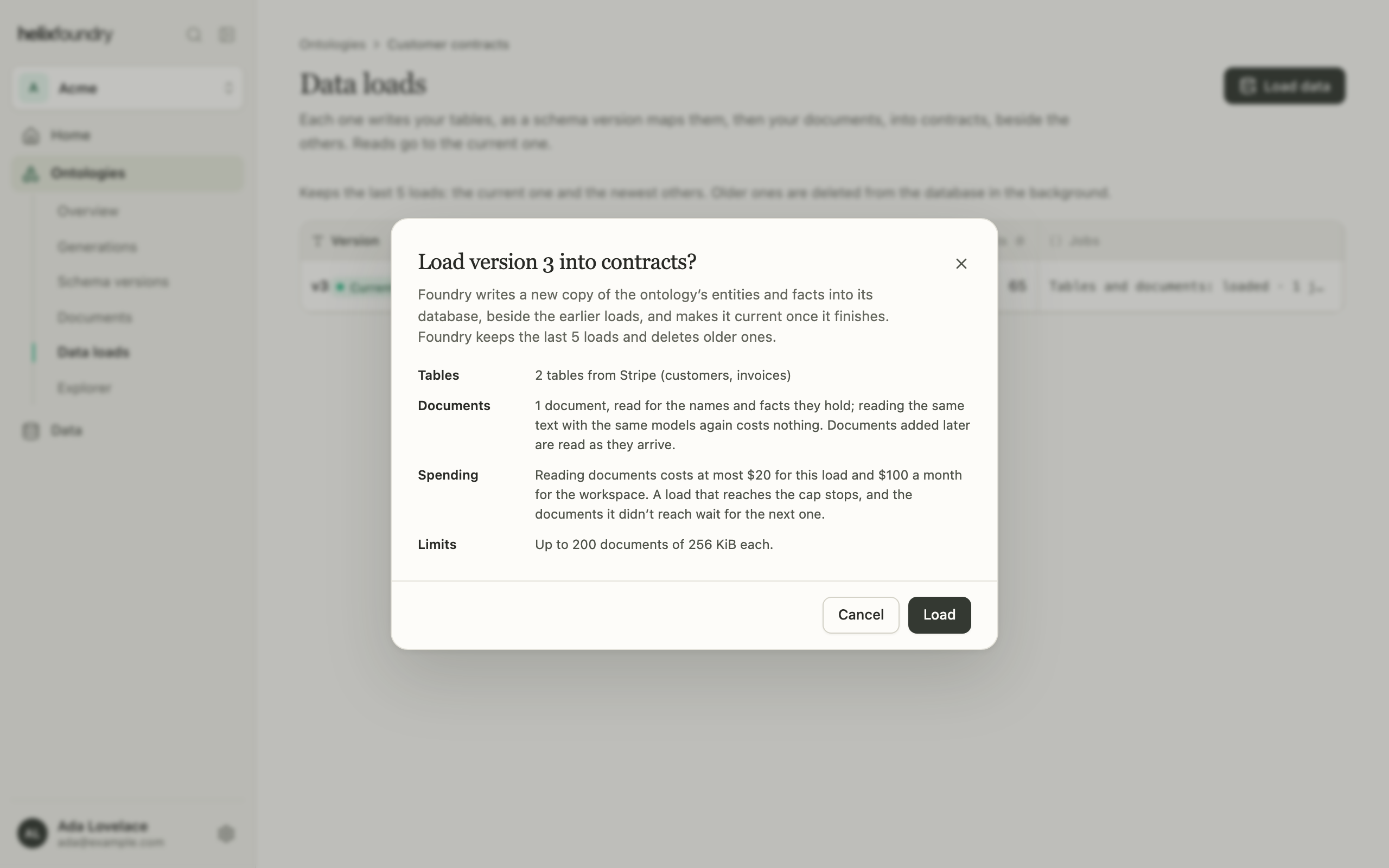
You can load when the current version is an agent draft that finished. Select **Load
data** on the overview or in **Data loads**. The dialog says what the load reads and
what it may spend; select **Load** to start it.
 ## Follow a load
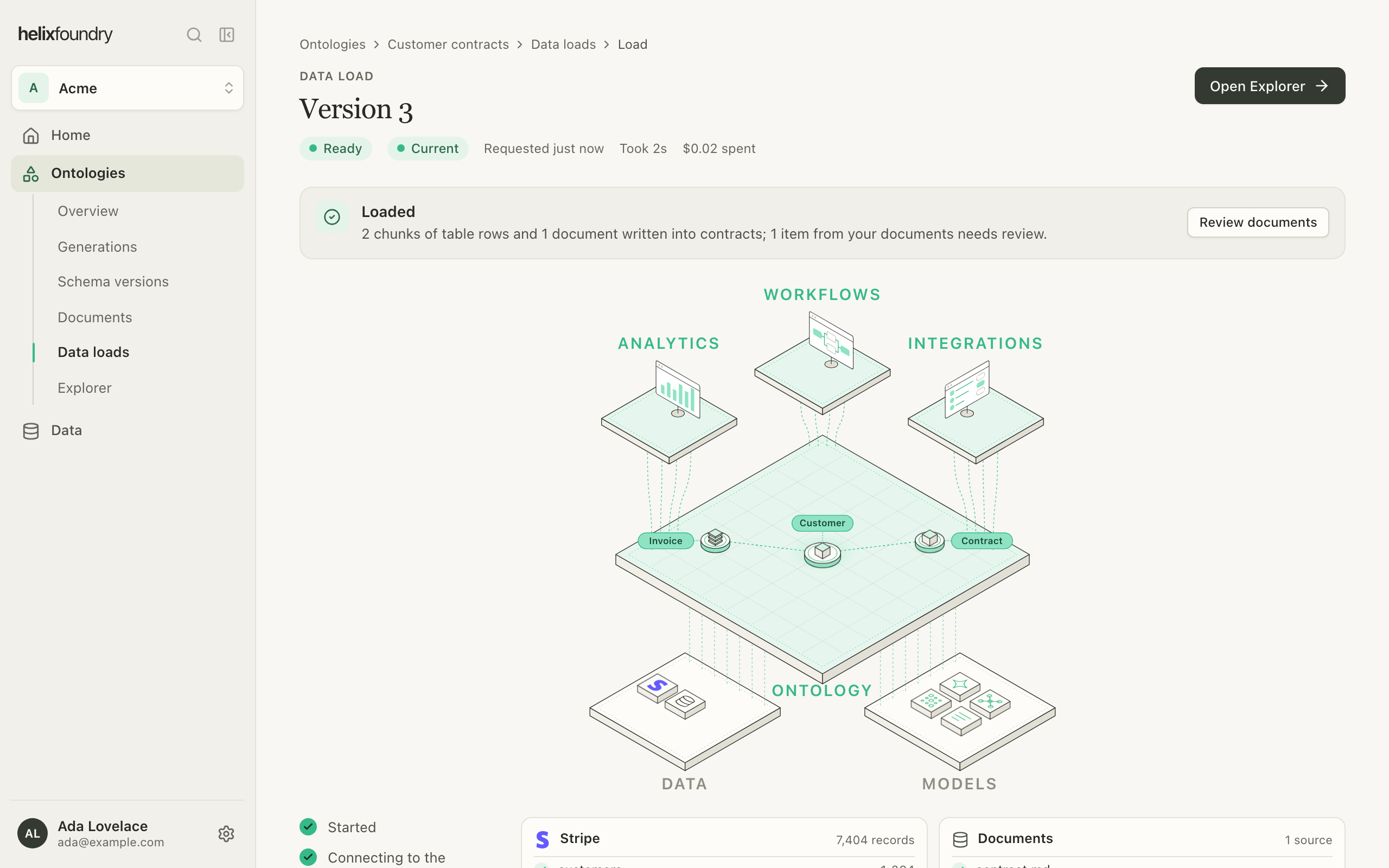
The load's page follows each step: preparing, writing the tables, reading the
documents, finishing. A load is **Writing**, then **Ready**. It ends **Partial** when
it reached the spending cap with its tables written but some documents unread, or
**Failed**.
## Follow a load
The load's page follows each step: preparing, writing the tables, reading the
documents, finishing. A load is **Writing**, then **Ready**. It ends **Partial** when
it reached the spending cap with its tables written but some documents unread, or
**Failed**.
 The newest load that finishes **Ready** becomes current. A **Partial** load becomes
current only when the ontology has no current load.
* If a source synced again while the load ran, the load says so and offers a new one.
* If the database is new and still starting, the load waits and tries again by itself.
* An ontology runs one load at a time.
Loading, setting a load current and deleting one need owner or admin rights and write
access to the database's Helix project.
## Manage loads
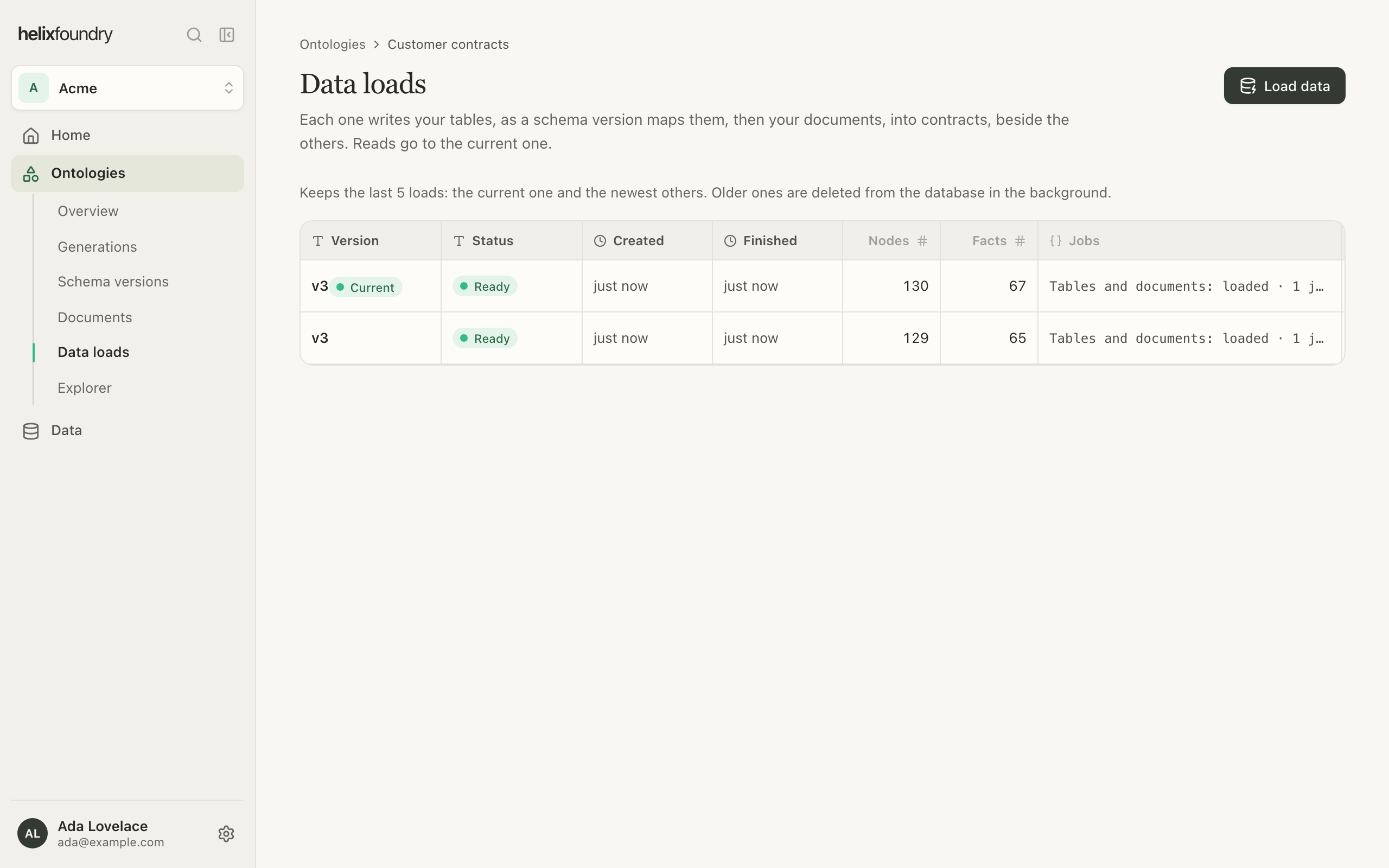
**Data loads** lists the loads kept: the current one and the newest others, five in
all. Older loads are deleted from the database in the background. Each row shows the
load's version, status, node and fact counts, and its jobs.
The newest load that finishes **Ready** becomes current. A **Partial** load becomes
current only when the ontology has no current load.
* If a source synced again while the load ran, the load says so and offers a new one.
* If the database is new and still starting, the load waits and tries again by itself.
* An ontology runs one load at a time.
Loading, setting a load current and deleting one need owner or admin rights and write
access to the database's Helix project.
## Manage loads
**Data loads** lists the loads kept: the current one and the newest others, five in
all. Older loads are deleted from the database in the background. Each row shows the
load's version, status, node and fact counts, and its jobs.
 | Action | Does |
| - | - |
| **Open** | The load's page, with its steps and spend |
| **Compare with current** | The Explorer with the load and the current one side by side |
| **Set current** | Makes a Ready or Partial load the one every page reads |
| **Delete** | Removes what the load wrote, including links your own data added to its nodes. Never the current load or one still writing. |
| **Retry delete** | Tries a delete that failed again |
## Spending and limits
Reading documents uses models, so it costs money; tables don't. Reading the same text
with the same models again costs nothing.
| Limit | Value |
| - | - |
| Per load | \$20 |
| Per workspace, per month | \$100 |
| Documents | 200 in the workspace, 256 KiB each |
| Loads kept per ontology | 5 |
A load that reaches its cap stops **Partial**. The documents it didn't reach are read
into it once it's current and the month has budget left; a new load reads every
document again. Once the workspace has spent \$100 in a month, Foundry refuses new loads
until the next month, and new uploads aren't read.
## Next steps
See what the load wrote.
Read each type as a table.
This documentation is built and hosted on [Mintlify](https://mintlify.com), a developer documentation platform.
| Action | Does |
| - | - |
| **Open** | The load's page, with its steps and spend |
| **Compare with current** | The Explorer with the load and the current one side by side |
| **Set current** | Makes a Ready or Partial load the one every page reads |
| **Delete** | Removes what the load wrote, including links your own data added to its nodes. Never the current load or one still writing. |
| **Retry delete** | Tries a delete that failed again |
## Spending and limits
Reading documents uses models, so it costs money; tables don't. Reading the same text
with the same models again costs nothing.
| Limit | Value |
| - | - |
| Per load | \$20 |
| Per workspace, per month | \$100 |
| Documents | 200 in the workspace, 256 KiB each |
| Loads kept per ontology | 5 |
A load that reaches its cap stops **Partial**. The documents it didn't reach are read
into it once it's current and the month has budget left; a new load reads every
document again. Once the workspace has spent \$100 in a month, Foundry refuses new loads
until the next month, and new uploads aren't read.
## Next steps
See what the load wrote.
Read each type as a table.
This documentation is built and hosted on [Mintlify](https://mintlify.com), a developer documentation platform.