> ## Documentation Index
> Fetch the complete documentation index at: https://docs.helix-db.com/llms.txt
> Use this file to discover all available pages before exploring further.
# Generate and version an ontology
> Ask Helix Foundry's agent to draft an ontology from your synced tables and documents, review each version, and choose the current one
Guide
A generation asks Foundry's agent to draft a new version of an ontology: its types,
links, mappings from your tables, rules and the questions it should answer. Each draft
is stored as a new version beside the others. Nothing changes until you make a version
current.
## Generate a draft
On the ontology, select **Generate**. Under **What should it serve?**, write the
questions people will ask of it, in your words. The goal is optional, up to 2,000
characters, and names the generation.
Choose the connectors whose synced tables go in; every table a connector has synced
is included. Expand a connector to see its tables. A generation reads at most 50
tables.
The agent also sees the names of the ontology's 50 most recently uploaded
[documents](/foundry/ontologies/documents), so it can add types for what they hold,
such as a contract with a customer.
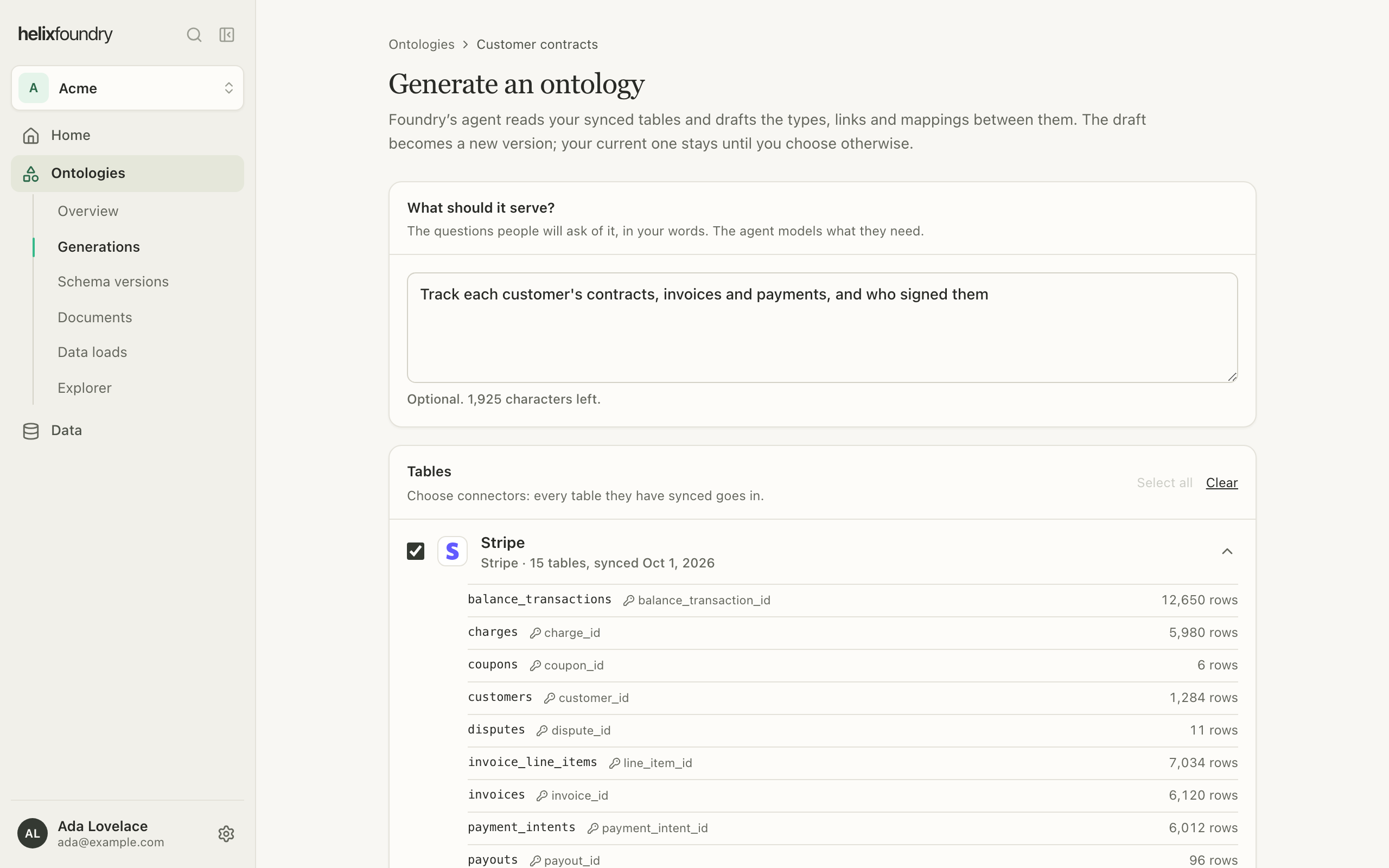 Select **Generate**. The generation's page follows it as it runs.
## Follow a generation
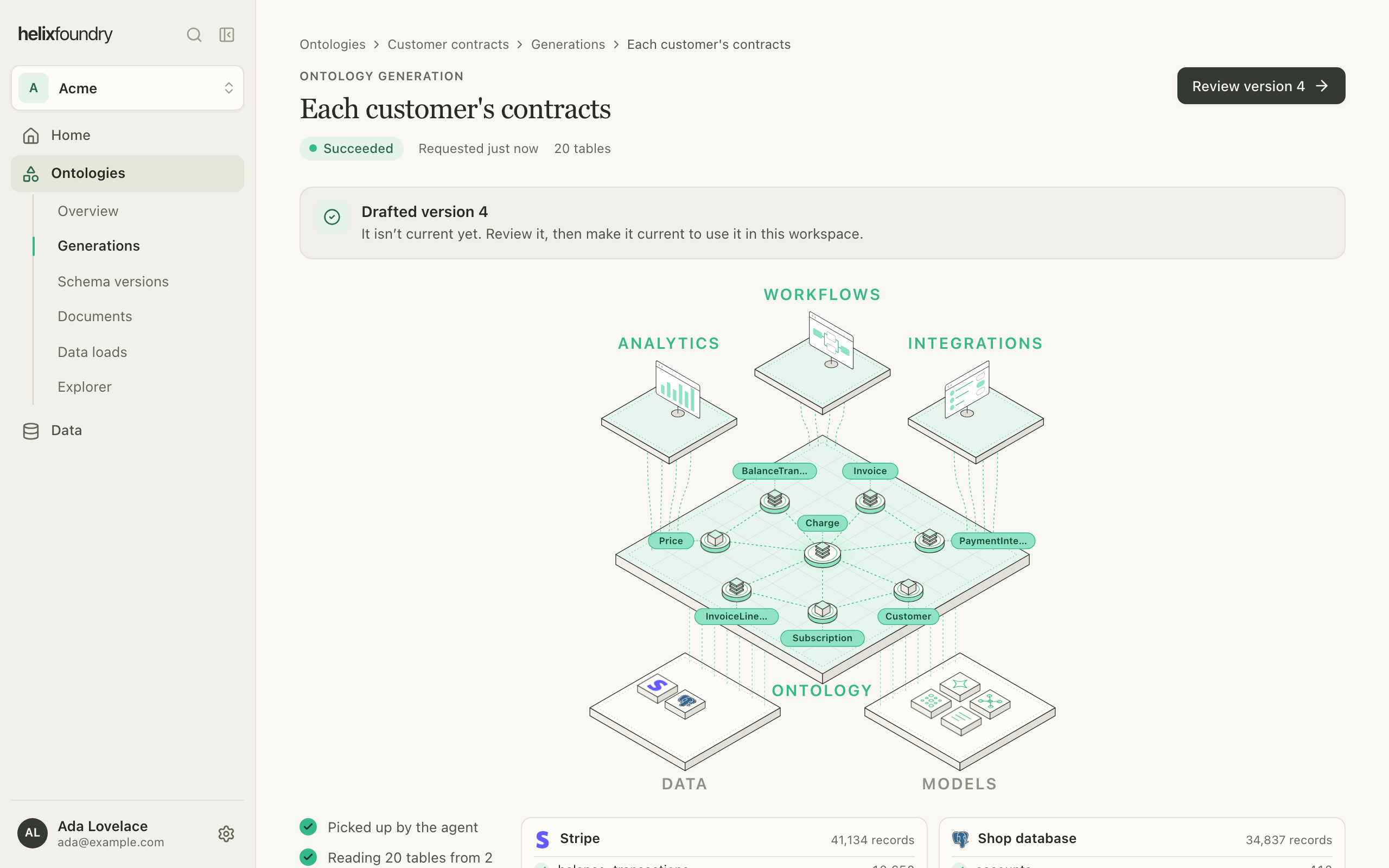
A generation is **Queued**, then **Running**, then **Succeeded** or **Failed**. It
can take several minutes. An attempt that fails for a passing reason is retried, up to
three attempts; while it waits, the page says it is retrying, why, and when it runs
next. Other failures, such as a draft the agent refused, fail at once. An ontology runs
one generation at a time.
Select **Generate**. The generation's page follows it as it runs.
## Follow a generation
A generation is **Queued**, then **Running**, then **Succeeded** or **Failed**. It
can take several minutes. An attempt that fails for a passing reason is retried, up to
three attempts; while it waits, the page says it is retrying, why, and when it runs
next. Other failures, such as a draft the agent refused, fail at once. An ontology runs
one generation at a time.
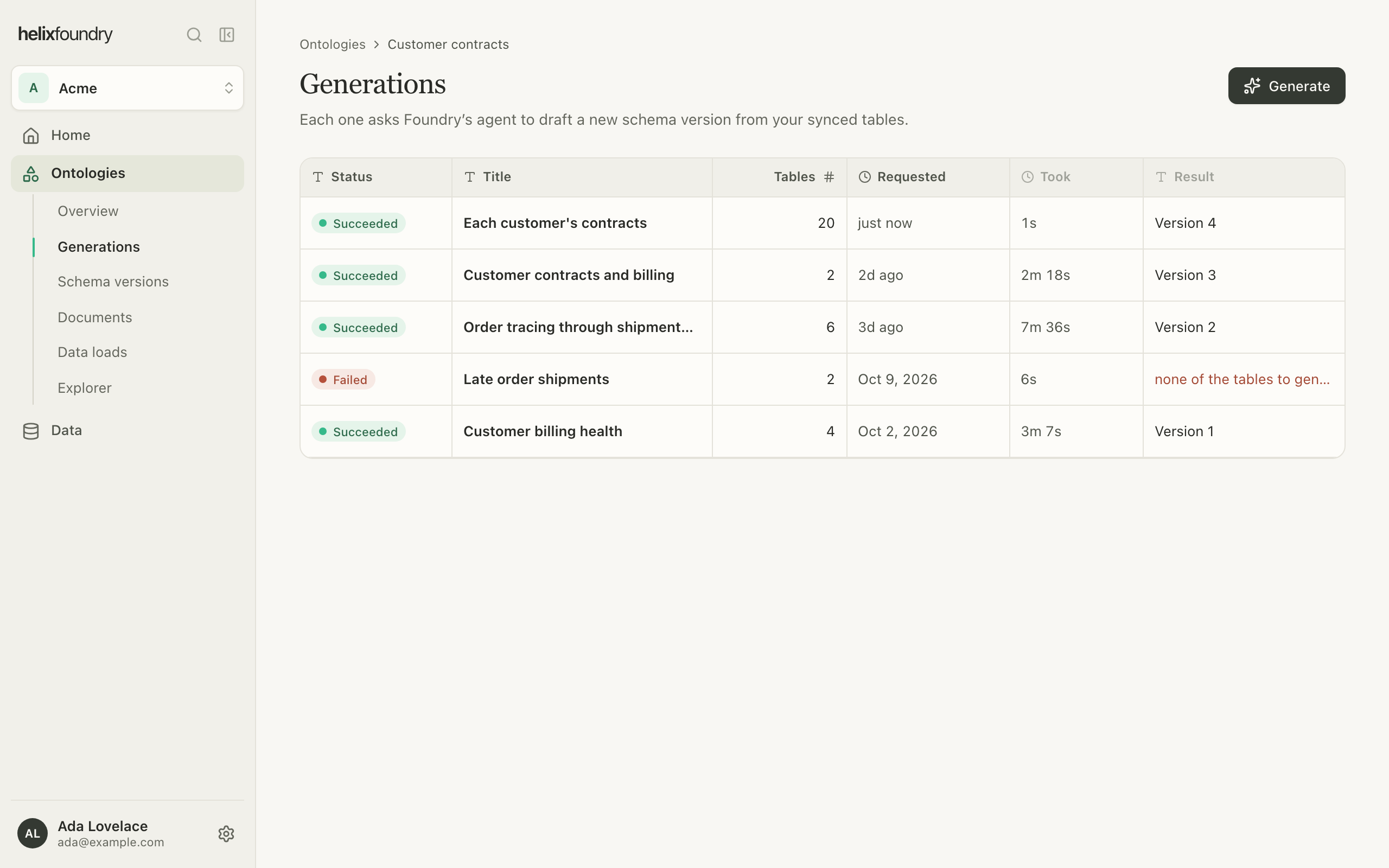
 **Generations** lists every generation with its title, status and the version it
drafted. Open one to see its goal, tables and steps. A failed generation offers **Try
again**, which opens the form with the same goal and connectors.
**Generations** lists every generation with its title, status and the version it
drafted. Open one to see its goal, tables and steps. A failed generation offers **Try
again**, which opens the form with the same goal and connectors.
 ## Review a version
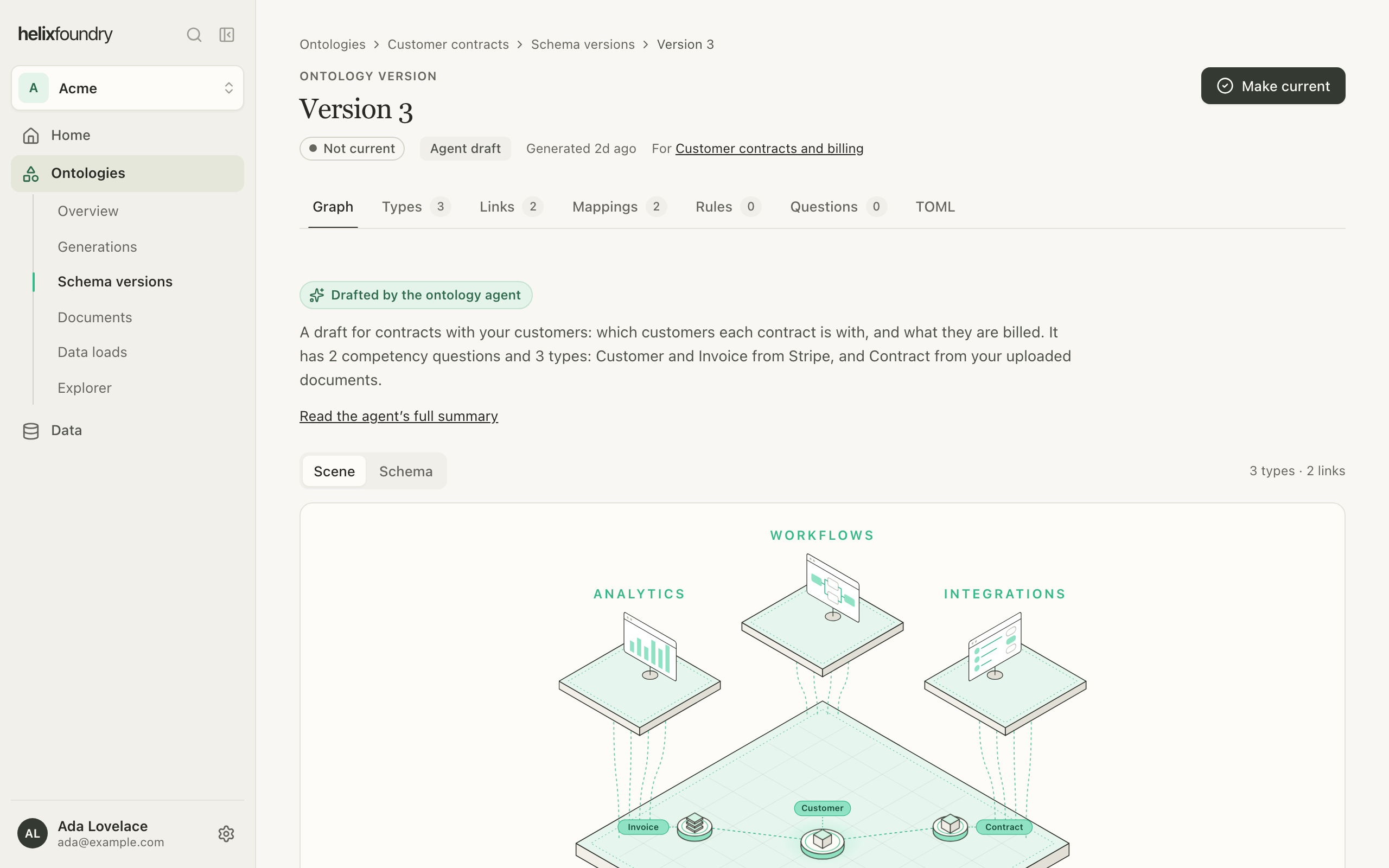
Select **Review version** on a generation, or open a version from **Schema versions**.
An agent draft opens on its summary and its graph, with a tab for each part:
| Tab | Shows |
| - | - |
| **Graph** | The agent's summary and the types and links as a scene or a schema |
| **Types** | Each type with its properties and keys |
| **Links** | How types connect, and what each link means |
| **Mappings** | Which table and columns fill each type and link |
| **Rules** | Checks the data should pass |
| **Questions** | The questions the version is meant to answer |
| **TOML** | The draft's `ontology.toml` and `mappings.toml` |
## Review a version
Select **Review version** on a generation, or open a version from **Schema versions**.
An agent draft opens on its summary and its graph, with a tab for each part:
| Tab | Shows |
| - | - |
| **Graph** | The agent's summary and the types and links as a scene or a schema |
| **Types** | Each type with its properties and keys |
| **Links** | How types connect, and what each link means |
| **Mappings** | Which table and columns fill each type and link |
| **Rules** | Checks the data should pass |
| **Questions** | The questions the version is meant to answer |
| **TOML** | The draft's `ontology.toml` and `mappings.toml` |
 Versions never change. Each generation drafts afresh rather than editing the current
version, so to change a draft, generate again with a sharper goal or different tables.
## Make a version current
Select **Make current** on a version, or in **Schema versions**, and confirm. The
current version is the one the overview shows and the one a load writes.
Versions never change. Each generation drafts afresh rather than editing the current
version, so to change a draft, generate again with a sharper goal or different tables.
## Make a version current
Select **Make current** on a version, or in **Schema versions**, and confirm. The
current version is the one the overview shows and the one a load writes.
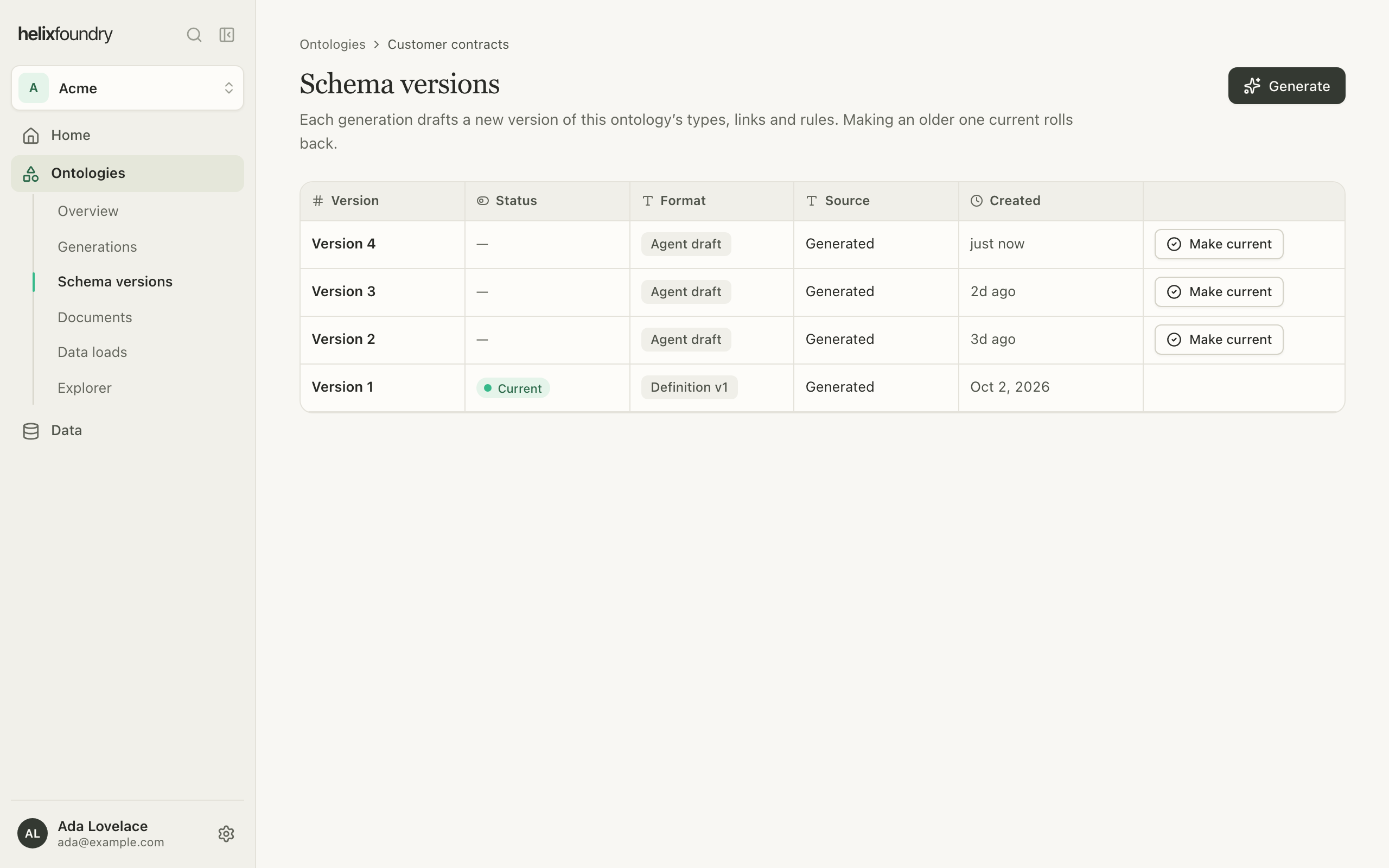 To roll back, make an older version current. If someone else makes another version
current at the same time, Foundry refuses yours, says why, and shows the version that
is current now.
Only an **Agent draft** the agent finished can be [loaded](/foundry/ontologies/load-data).
A draft it stopped early, or a version in the older **Definition v1** format, can be
reviewed and made current, but not loaded.
## Who can do what
Owners and admins generate and make versions current. Members see every generation and
version.
## Next steps
Write the current version into the ontology's database.
Give the agent and your loads documents to read.
This documentation is built and hosted on [Mintlify](https://mintlify.com), a developer documentation platform.
To roll back, make an older version current. If someone else makes another version
current at the same time, Foundry refuses yours, says why, and shows the version that
is current now.
Only an **Agent draft** the agent finished can be [loaded](/foundry/ontologies/load-data).
A draft it stopped early, or a version in the older **Definition v1** format, can be
reviewed and made current, but not loaded.
## Who can do what
Owners and admins generate and make versions current. Members see every generation and
version.
## Next steps
Write the current version into the ontology's database.
Give the agent and your loads documents to read.
This documentation is built and hosted on [Mintlify](https://mintlify.com), a developer documentation platform.