> ## Documentation Index
> Fetch the complete documentation index at: https://docs.helix-db.com/llms.txt
> Use this file to discover all available pages before exploring further.
# Upload documents
> Upload Markdown and text files to a Helix Foundry ontology so generations and loads read the names and facts they hold
Guide
Documents carry what your tables don't: who signed a contract, what was agreed, who
referred whom. Upload them to an ontology, and each load reads them into its database,
linking the names they mention to the records your tables hold.
## Upload
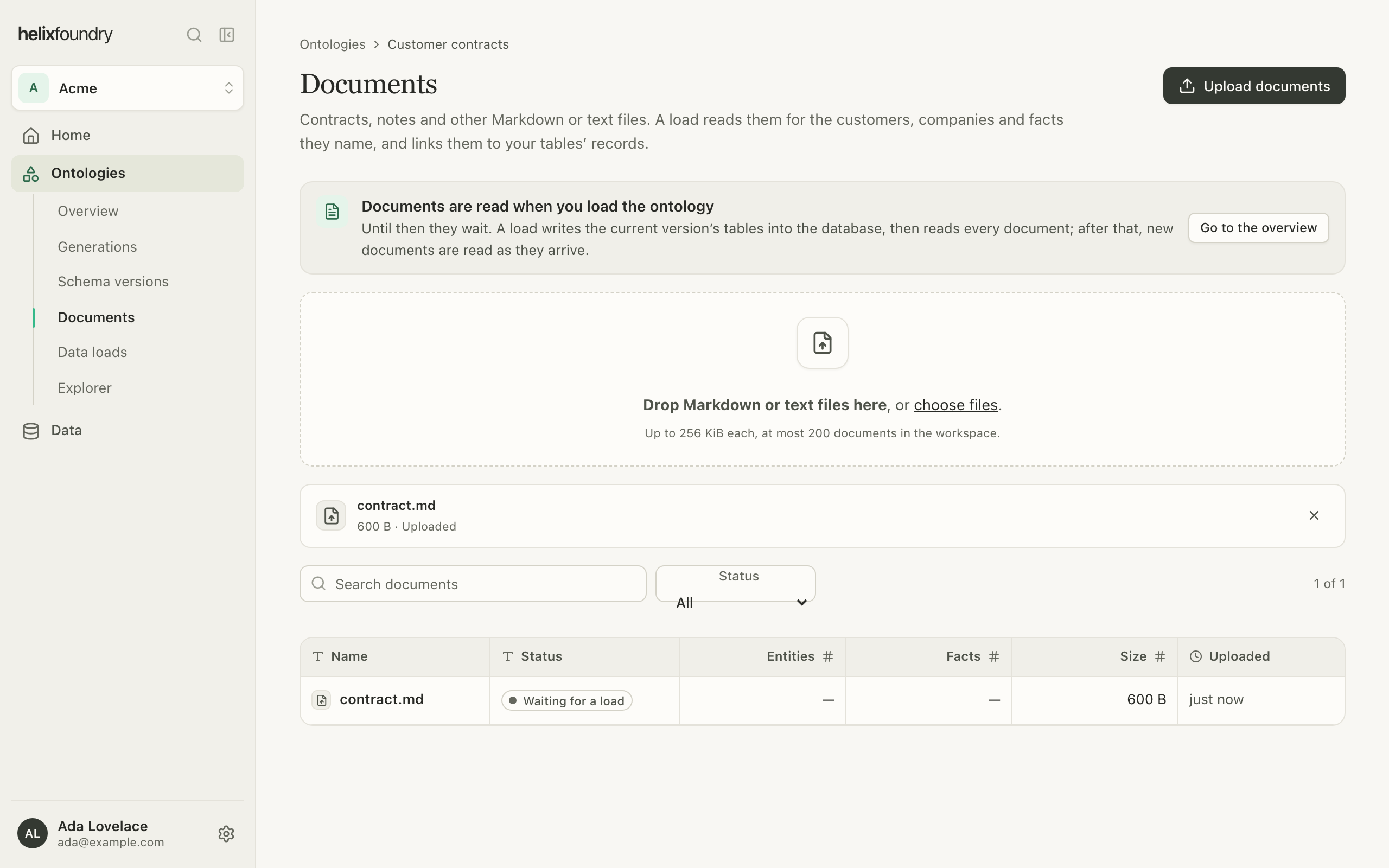
In the ontology's **Documents**, choose files or drop them on the page. Foundry checks
each file before it uploads it, then sends it straight to storage with its progress.
| Rule | Value |
| - | - |
| File types | Markdown (`.md`, `.markdown`) and text (`.txt`) |
| Size | Up to 256 KiB each |
| Count | At most 200 documents in the workspace |
| Name | At most 255 characters, with no slash, backslash or control character |
 ## How documents are used
* **Generations** give the agent the names of the ontology's 50 most recently uploaded
documents, so a draft can add types for what they hold, such as a contract.
* **Loads** read every document: its sections, the names it mentions, and the facts it
states, each with the quote it came from. What a load can't settle, such as a name
the database doesn't hold, an ambiguous name, a quote it couldn't verify or a fact
that conflicts with your tables, goes to **Needs review** instead of becoming a
record.
* A document uploaded after the current load is read into that load as it arrives.
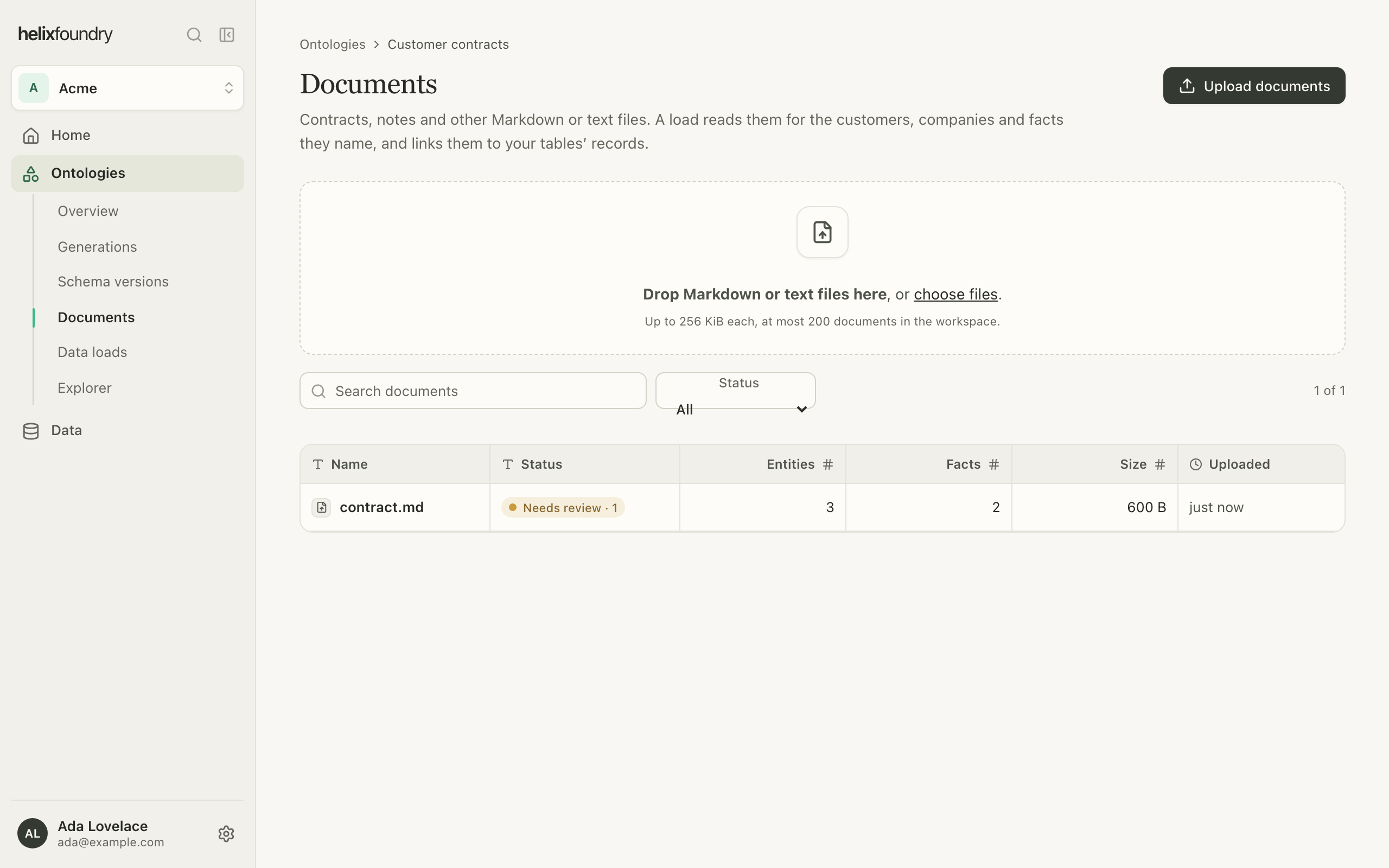
Each document's status says where it stands: **Waiting for a load**, **Queued for the
load**, **Reading**, **Read**, **Needs review**, **Duplicate** or **Couldn't be read**.
## How documents are used
* **Generations** give the agent the names of the ontology's 50 most recently uploaded
documents, so a draft can add types for what they hold, such as a contract.
* **Loads** read every document: its sections, the names it mentions, and the facts it
states, each with the quote it came from. What a load can't settle, such as a name
the database doesn't hold, an ambiguous name, a quote it couldn't verify or a fact
that conflicts with your tables, goes to **Needs review** instead of becoming a
record.
* A document uploaded after the current load is read into that load as it arrives.
Each document's status says where it stands: **Waiting for a load**, **Queued for the
load**, **Reading**, **Read**, **Needs review**, **Duplicate** or **Couldn't be read**.
 Reading documents uses AI models: a load sends each document's text to Anthropic and
OpenAI models to find its names and facts and to check them.
## Read a document
Open a document to see its text as the load read it: names underlined, quoted facts
tinted and anything that needs review marked. Beside it, **Facts**, **Entities** and
**Needs review** list what the load found, each linked to its record.
Reading documents uses AI models: a load sends each document's text to Anthropic and
OpenAI models to find its names and facts and to check them.
## Read a document
Open a document to see its text as the load read it: names underlined, quoted facts
tinted and anything that needs review marked. Beside it, **Facts**, **Entities** and
**Needs review** list what the load found, each linked to its record.
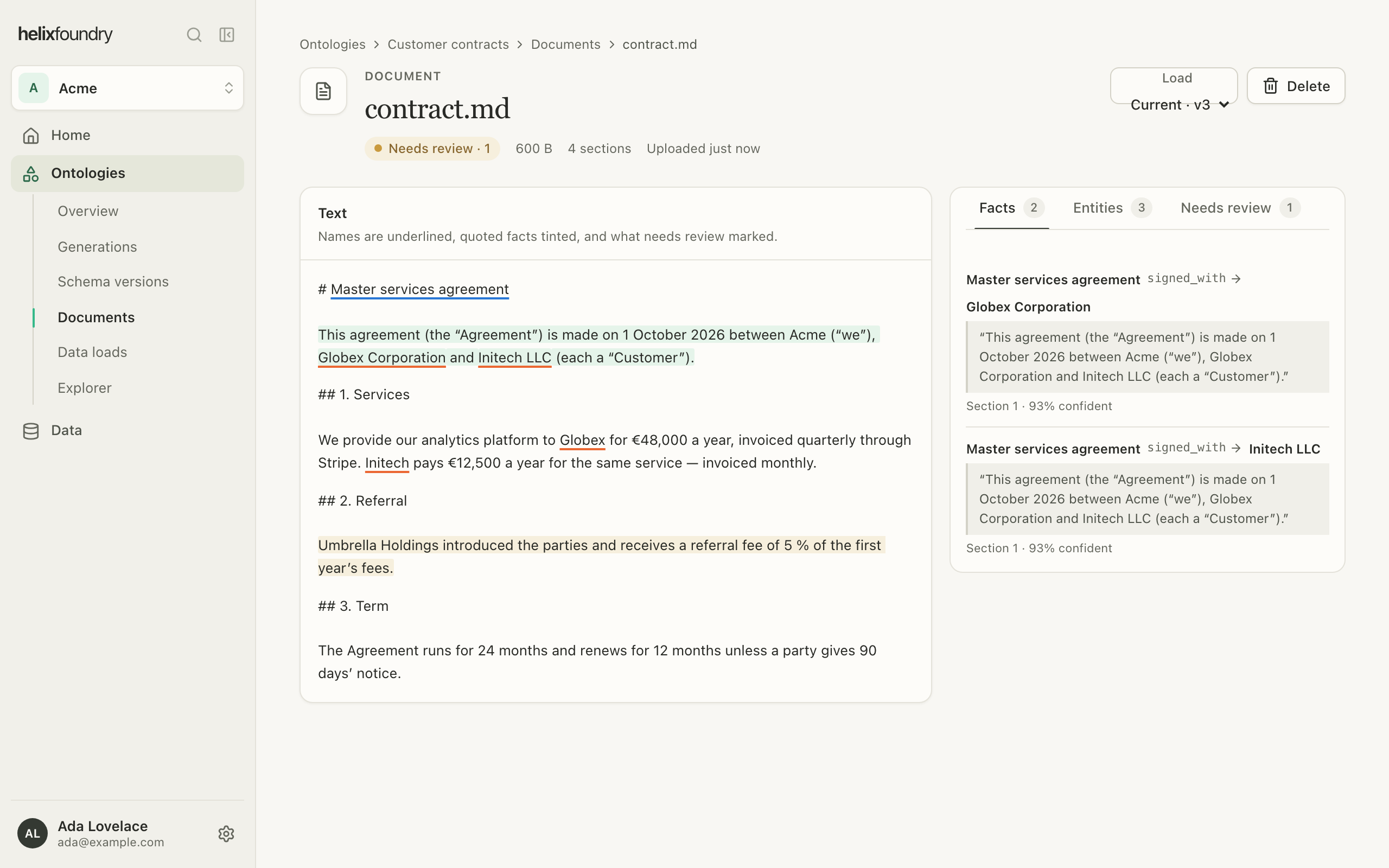 Use the **Load** picker to read the document as another load saw it.
## Delete a document
Select **Delete** on a document's page. Owners and admins upload and delete documents;
members read them.
## Next steps
Write tables and documents into the database.
See every place a record comes from.
This documentation is built and hosted on [Mintlify](https://mintlify.com), a developer documentation platform.
Use the **Load** picker to read the document as another load saw it.
## Delete a document
Select **Delete** on a document's page. Owners and admins upload and delete documents;
members read them.
## Next steps
Write tables and documents into the database.
See every place a record comes from.
This documentation is built and hosted on [Mintlify](https://mintlify.com), a developer documentation platform.