> ## Documentation Index
> Fetch the complete documentation index at: https://docs.helix-db.com/llms.txt
> Use this file to discover all available pages before exploring further.
# Records and entities
> Read a Helix Foundry load as tables by type, open a record's links and sources, and see everything about one entity
Guide
**Records** is the Explorer's table view: one type at a time, searchable and sortable,
with every record's links and where it came from. An entity's page gathers everything
the load knows about one record.
## Read a type as a table
In the Explorer, select **Records**. Choose a type at the top; the count beside it is
how many records the load holds.
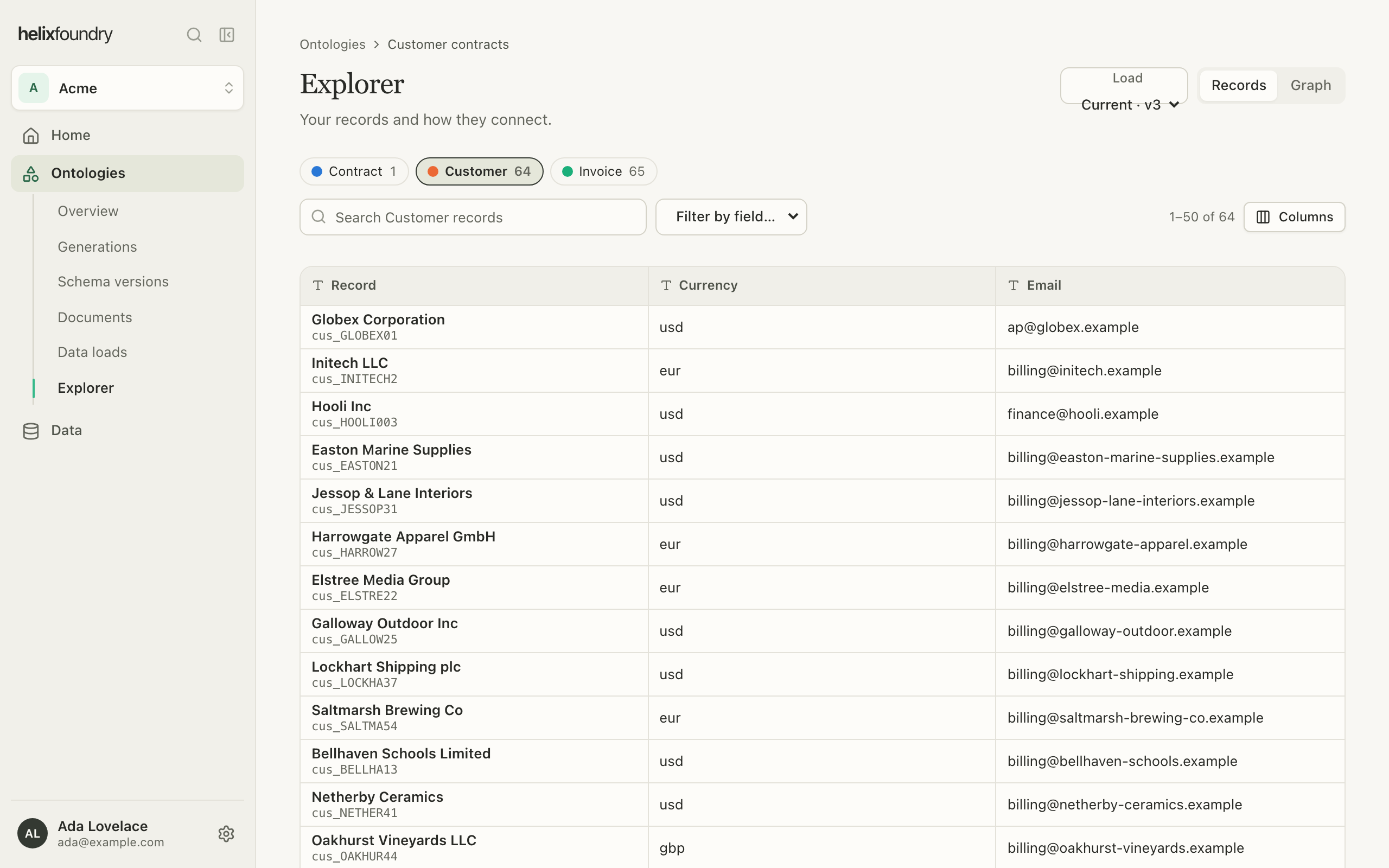 * **Search** finds records by name or key.
* **Filter by field** keeps the records whose field matches a value.
* Select a column's header to sort by it, and **Columns** to choose which show.
* Pages hold 50 records. Searches and filters count up to 1,000 matches, and paging
reaches the first 10,000 records of a type.
## Open a record
Select a row to open the record beside the table: its properties, its links to other
records, and **Where it comes from**. A link or record that came from a table names the
source and row; one that came from a document shows the quote, with a link to it in the
document.
* **Search** finds records by name or key.
* **Filter by field** keeps the records whose field matches a value.
* Select a column's header to sort by it, and **Columns** to choose which show.
* Pages hold 50 records. Searches and filters count up to 1,000 matches, and paging
reaches the first 10,000 records of a type.
## Open a record
Select a row to open the record beside the table: its properties, its links to other
records, and **Where it comes from**. A link or record that came from a table names the
source and row; one that came from a document shows the quote, with a link to it in the
document.
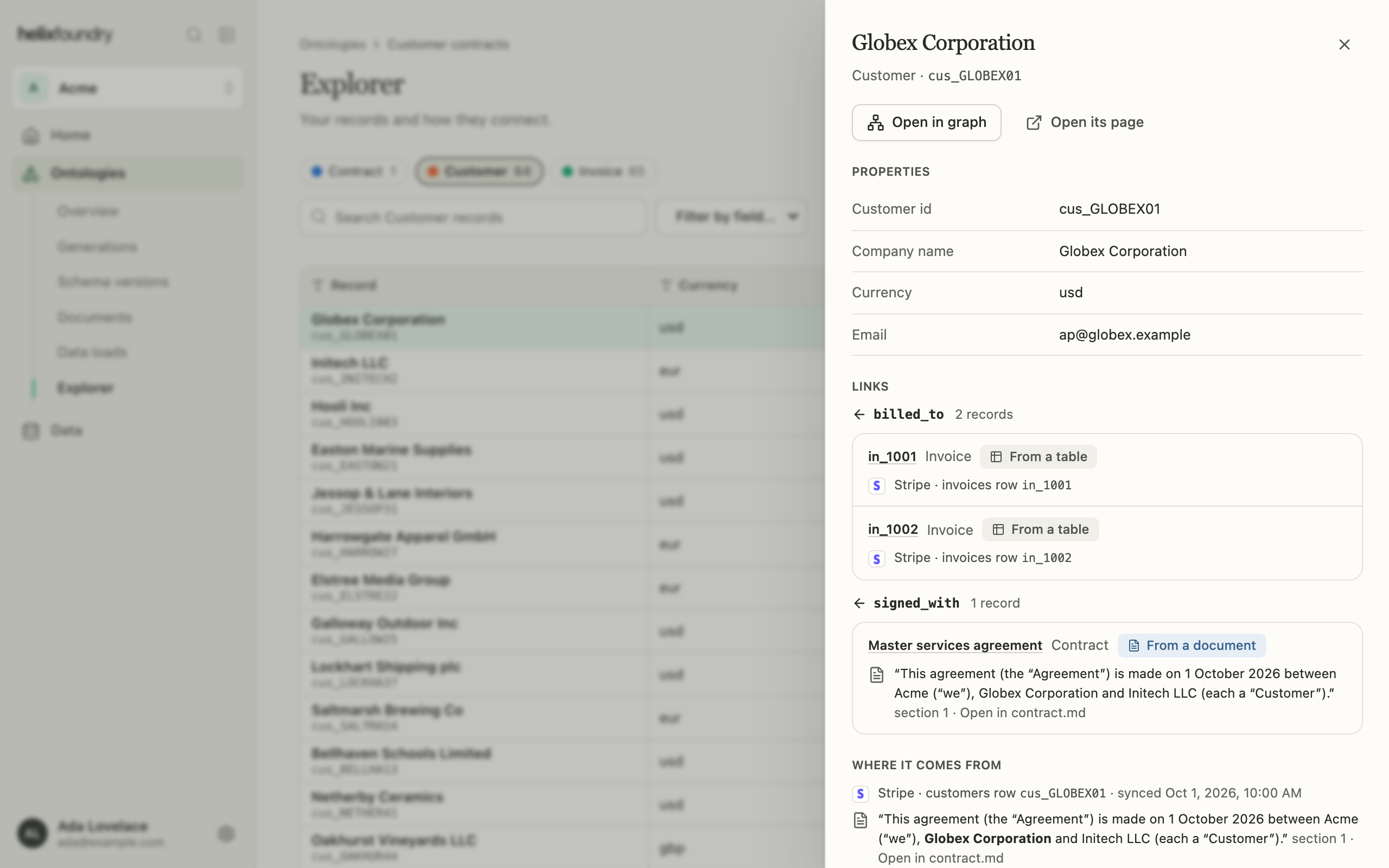 Select **Open in graph** to find it in the Explorer, or **Open its page** for the
entity's page.
## An entity's page
An entity's page names the record's type, key and sources, with tabs for its
**Overview** (properties), **Facts** (its links, with their evidence), **Mentions** (where
documents name it) and **Needs review**.
Select **Open in graph** to find it in the Explorer, or **Open its page** for the
entity's page.
## An entity's page
An entity's page names the record's type, key and sources, with tabs for its
**Overview** (properties), **Facts** (its links, with their evidence), **Mentions** (where
documents name it) and **Needs review**.
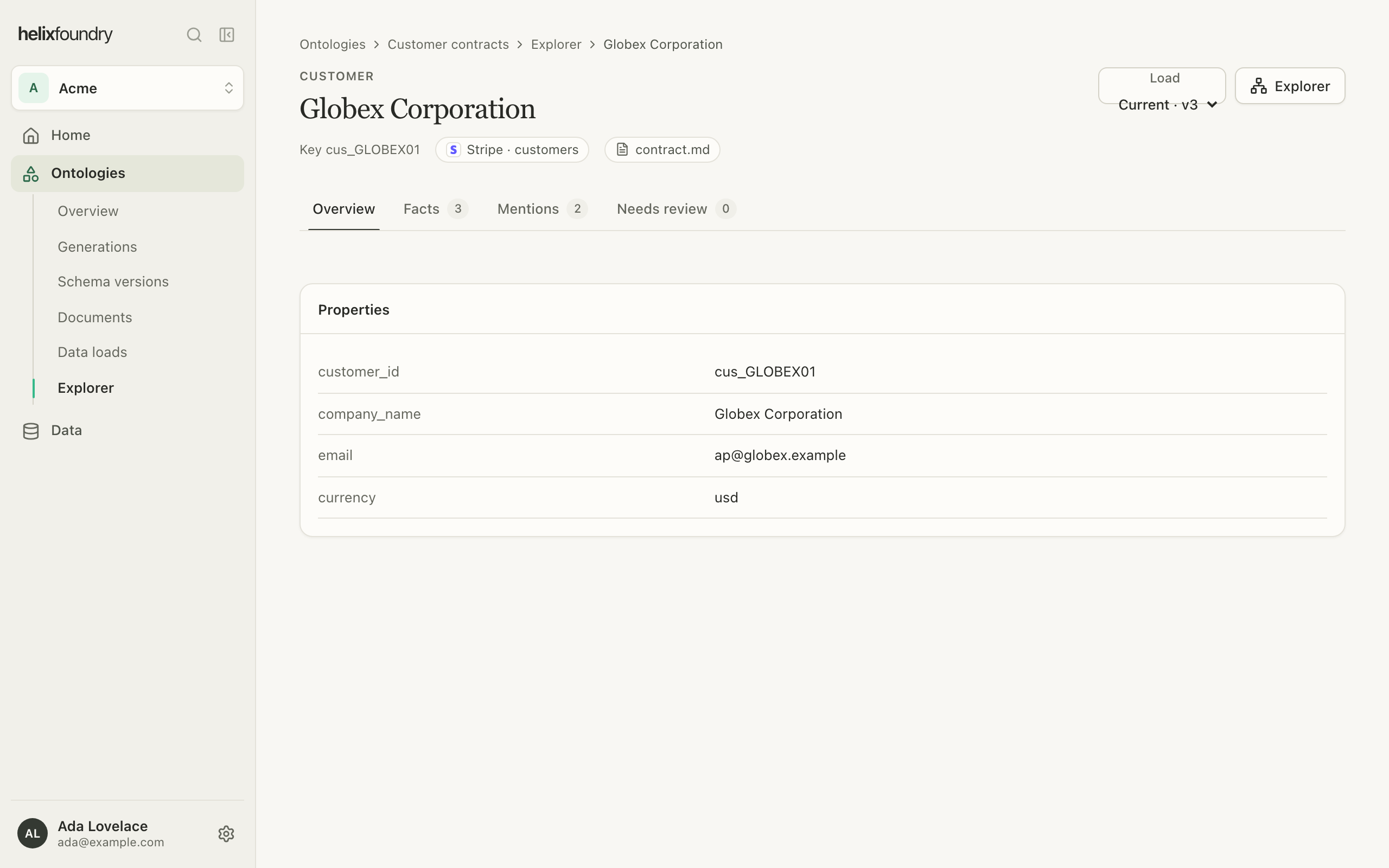 Every page here reads one load. Use the **Load** picker to read another; links between
pages keep it.
## Next steps
Search, expand and compare loads.
Add the documents facts and mentions come from.
This documentation is built and hosted on [Mintlify](https://mintlify.com), a developer documentation platform.
Every page here reads one load. Use the **Load** picker to read another; links between
pages keep it.
## Next steps
Search, expand and compare loads.
Add the documents facts and mentions come from.
This documentation is built and hosted on [Mintlify](https://mintlify.com), a developer documentation platform.